
Do you want to Install any Custom ROM for OnePlus Nord 5 device? then you are at the right place. Here we will list all the Custom ROM for OnePlus Nord 5. If you have a OnePlus Nord 5 device, you may know that this device runs on Android OS. Well, the biggest advantage of Android is that it is an open-source project. This allows every community to develop and Customize ROM for their phone.
OnePlus Nord 5 Overview:
The OnePlus Nord 5, released on July 8, 2025, continues OnePlus’s tradition of offering flagship-like features at a midrange price. It features a 6.83-inch Swift AMOLED display with 144Hz refresh rate, HDR10+, and up to 1800 nits peak brightness, ensuring vibrant visuals and smooth performance. The screen is protected by Corning Gorilla Glass 7i and supports Ultra HDR imaging, making it ideal for media consumption and gaming. The device carries an IP65 rating for dust and water resistance and has a premium build with glass on both sides and a plastic frame.
Powering the Nord 5 is the Snapdragon 8s Gen 3 (4nm) chipset paired with Adreno 735 GPU, delivering top-tier performance for multitasking, gaming, and demanding applications. It ships with Android 15 and OxygenOS 15, promising 4 major Android upgrades, ensuring long-term software support. Storage options include up to 512GB UFS 3.1, paired with 8GB or 12GB of RAM for seamless performance.
The Nord 5’s camera setup includes a 50MP main lens with OIS and a secondary 8MP ultrawide lens, capable of 4K video recording at 60fps with gyro-EIS for stable footage. The 50MP front camera supports autofocus and can shoot 4K selfie videos, making it perfect for vloggers and creators. The stereo speakers deliver immersive sound, complemented by Bluetooth 5.4 with aptX HD and LHDC 5 for high-quality wireless audio.
The phone supports dual-band Wi-Fi 6, NFC, infrared, and NavIC positioning. Powering everything is a 5200mAh (Europe) or 6800mAh (Global) battery, offering strong endurance and 80W wired charging that reaches 100% in just 54 minutes, along with bypass charging and 5W reverse wired support. The under-display fingerprint sensor rounds off the package, making the OnePlus Nord 5 a powerful and stylish smartphone that balances performance, battery life, and camera capabilities exceptionally well.
Before moving to installation and download, let us know the difference between CUSTOM ROM and STOCK ROM.
What Is Android Stock ROM?
When you buy a brand new Android device, it comes equipped with a “Stock ROM,” also known as the “Stock Firmware”. The stock ROM is the preinstalled operating system on your device. The stock ROM has limited functionalities that are defined by the phone’s manufacturer. If you wish to have extra features added to your device, then you will have to resort to custom ROM.
Check Out the Difference between Stock ROM and Custom ROM.
What is Custom ROM?
As you all know Android is an open-source platform where a developer can take all the source code from Google and build their own operating system images for Android phones and tablets from scratch. This Custom or Home-built app is known as Custom ROM. Custom ROM replaces your Android Operating system (Stock ROM) which comes with your Phone or Tablet. It comes with a kernel which makes it a fully standalone OS. So some developers in the Android Community will customize the Android OS by stripping all the Garbage and making it a pure Android experience with no carrier-installed app or OEM apps.
This Custom ROM is been updated regularly by the community and developers where they fix all the bugs-related reports. Custom ROM also allows you to experience the latest Android OS even if the OS is not available to your smartphone.
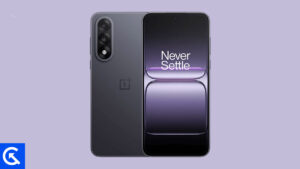
Best Custom ROM for OnePlus Nord 5
Here is the list of Best Custom ROM for OnePlus Nord 5. To Install Any Custom ROM for OnePlus Nord 5, you need TWRP Recovery on your device. Once you have installed TWRP, you can easily start installing Custom ROM or any mods on your OnePlus Nord 5 device. Here is the guide to Installing TWRP Recovery on OnePlus Nord 5.
If you have TWRP, then you can simply flash one of the best custom ROM for OnePlus Nord 5 here. As we said, there are many custom ROM out there to choose from. Not every Custom ROM is meant to be stable to use as a daily driver. You can read the description and the features that come with the custom ROM given below for OnePlus Nord 5 devices.
Android 16:
Android 16 introduces Material 3 Expressive, a refined evolution of Google’s design language for smartphones and tablets. While it doesn’t completely reinvent the interface, it represents one of the most noticeable user-facing changes in the OS. Rather than a dramatic visual overhaul, Material 3 Expressive enhances the foundation laid by Material Design 3 by introducing smoother, more dynamic animations, larger touch targets, and bolder typography.
Lineage OS:
Lineage OS is the legacy of the old famous custom firmware known as CyanogenMod or CM. The company behind Cyanogen.Inc has withdrawn the popular Android mod, CyanogenMod which left many of its users disappointed. Few believed that the legacy of CyanogenMod would be taken forward by a new Android mod, however, it was all uncertain. It was amidst such chaos that Lineage OS was introduced and it gave back everyone the answer concerning Android mod.
Lineage OS is one of the best custom ROM for any Android smartphone. Lineage ROM for OnePlus Nord 5 comes with a lot of features such as a Customizable Status bar, Theme, Resizing Nav bar, Nav Bar color, customization, Quick Toggle feature, and other features.
You can follow the link to Install Lineage OS for OnePlus Nord 5 device.
Download ROM Here – Lineage OS 22
Download ROM Here – Lineage OS 23
CrDroid OS:
CrDroid OS is a new custom ROM based on AOSP/ Lineage OS built from scratch by adding customization options from AOSPA, Lineage, SlimROM, crDroid OS, and many other great ROMs out there. The ROM brings a lot of customization options along with a Pure Android Experience.
Pixel Experience ROM:
As the name suggests, ROM brings the real Google Pixel Experience ROM to OnePlus Nord 5. It has all the features and applications that come out of the box with the Google Pixel smartphone. Now you can experience the real Pixel Smartphone with this ROM.
Coming Soon…
That’s it! I hope you have installed the Custom ROM for OnePlus Nord 5. Leave a comment or feedback down below. Thank you!.
I hope this guide was helpful in finding the Best Custom ROM for OnePlus Nord 5 that is suitable for you.
Want to revert to Stock ROM, Check out this tutorial on How to Install Stock ROM on OnePlus Nord 5