
Realme has launched Narzo 10 and 10A recently in India as the affordable budget smartphone. Both devices do come with great specifications and designs. Due to the COVID-19 lockdown measures, the launch date has been postponed multiple times previously. Now, if you’re using this handset and want to upgrade to the latest software version that you’ve missed earlier or didn’t get yet, then you’re in right place. Here we have provided the Realme Narzo 10A Software Update Tracker along with the firmware download links below.
Some times, users didn’t receive any particular software OTA update due to some server or carrier-related issues mostly. That only happens due to the incremental roll-out process by the smartphone OEMs. So, if you think that your device isn’t getting the latest software OTA updates automatically, then you can manually check for it by following our guide. We have shared the full list of software update details below. Now, head over to the device specifications at first before going to the update tracker.
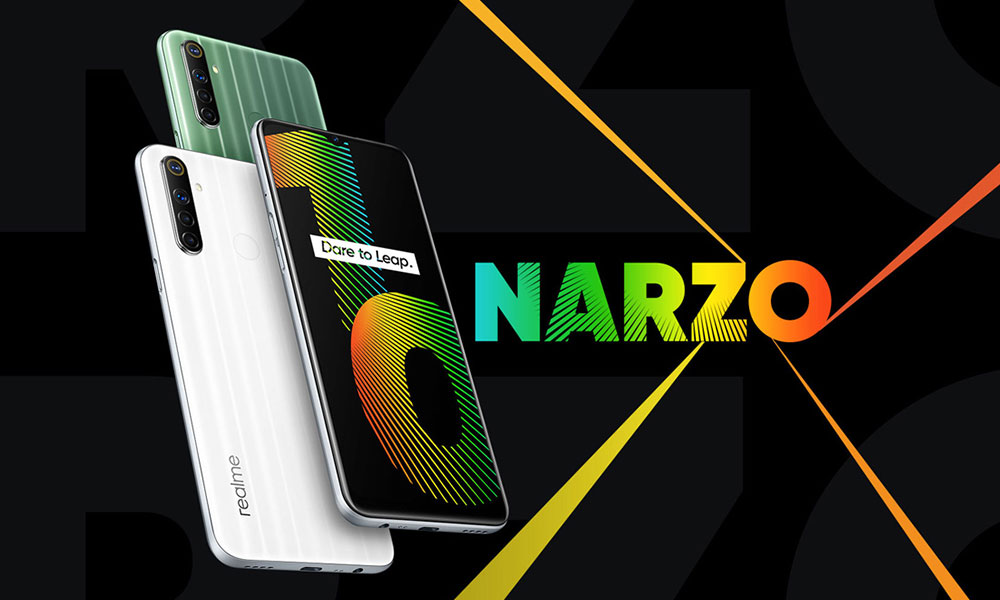
Realme Narzo 10A Overview:
The Realme Narzo 10A is a basic budget smartphone from 2020, built for simple everyday use rather than performance. It features a 6.5-inch IPS LCD display with HD+ resolution, which is decent for casual browsing and video watching but not very sharp by today’s standards. The design is simple with a plastic body, rear fingerprint sensor, and practical touches like a headphone jack and FM radio. It also has Gorilla Glass 3 protection and weather-sealed ports, which add some durability for daily use.
Performance is powered by the Helio G70 chipset, which was fine for light tasks like calling, WhatsApp, YouTube, and basic gaming, but it feels quite slow by today’s standards. The camera setup is very basic, with a 12 MP main sensor that works for casual shots but struggles in low light.
The 5000 mAh battery is one of its strengths, easily lasting a full day or more, though charging is slow at 10W via microUSB. Overall, the Narzo 10A is now outdated in 2026, suitable only for very light use or as a secondary phone.
Realme Narzo 10A Software Update Tracker
Whenever a new official stock firmware update will be available for the Realme Narzo 10A model, we will keep updating the update tracker list here with the changelog and download links.
| Software Version | Release Date | Changelog |
| RMX2020_11_C.08 |
01/12/2021
|
|
| RMX2020_11.C.07
Download Link |
13/10/2021
|
|
| RMX2020_11.A.63
Download Link |
26/06/2021
|
|
| RMX2020_11.A.61
Download Link |
29/04/2021
|
Security ● Updated Android security patch (2021#3 & 2021#4)System ● Fixed some known issues and improved stability |
| RMX2020_11.A.59
Download Link |
04/03/2021
|
Security ● Updated Android security patch: February, 2021System ● Fixed some known issues and improved stability |
| RMX2020_11.A.55
Download Link |
02/01/2021 |
|
| RMX2020_11.A.41 | 07/9/2020 |
|
| RMX2020_11.A.39 Download Link |
03/9/2020 |
Security: |
| RMX2020_11.A.37 | 05/8/2020 |
|
| RMX2020_11_A.33 | 3/7/2020 |
|
| RMX2020_11_A.25 | 01/06/2020 |
|
How to Check Software Update on Realme Narzo 10A
Before going to the manual firmware upgrade process, if you feel that your device isn’t receiving the OTA update notification for a while, then you can check for the software update manually. In order to do this:
Go to the device Settings > System updates. It will search for the software update and you will get notified if a new update is available on your device. Simply grab the firmware version by downloading and installing it.
Additionally, it’s recommended to maintain the phone charge at least up to 50%-60% and connect your device to a Wi-Fi for a faster and stable download.
Now, let’s assume that you’ve successfully upgraded your Realme Narzo 10A device to the latest software version. Facing any issue with the software update guide? Comment below.