
In case you use Chuwi devices, this guide is meant for you. Today we bring you the collection of Chuwi USB drivers for various models of the devices from the company. Usually, when you connect a device to the PC, USB drivers get installed automatically. However, with Chuwi devices, such a facility is not available. So, you have to manually download and install the Chuwi USB drivers.
You can find a complete list of various Chuwi devices and their corresponding in this post. Also, as we mentioned of manual installation, you can refer to the brief and simple installation guide we have provided. This will make it convenient for you to install the Chuwi USB drivers. So go check it out.
Download Chuwi USB Drivers:
Here is the list of Chuwi USB drivers for different models of its devices. You can download the USB drivers by following the link provided.
| Chuwi Device List | USB Driver Download link |
| Chuwi V8S | Download |
| Chuwi V17 Pro | Download |
| Chuwi V99X | Download |
| Chuwi V88HD | Download |
| Chuwi V89 | Download |
| Chuwi DX1 | Download |
| Chuwi 99i | Download |
| Chuwi v10HD 3G | Download |
| Chuwi VX8 3G Business Edition | Download |
| Chuwi VX8 | Download |
| Chuwi VX2 | Download |
| Chuwi VX3 | Download |
| Chuwi V17HD | Download |
| Chuwi VX1 | Download |
| Chuwi Vi8 Plus | Download |
| Chuwi eBook | Download |
| Chuwi Hi10 | Download |
| Chuwi Vi10 Pro | Download |
| Chuwi Vi10 Ultimate | Download |
| Chuwi Vi7 | Download |
| Chuwi Hi8 | Download |
| Chuwi Hi8 Redux | Download |
| Chuwi Vi 8 | Download |
| Chuwi VL8 | Download |
| Chuwi Vi 10 Dual Boot | Download |
| Chuwi Hi9 | Download |
| Chuwi Hi13 | Download |
| Chuwi HiPad | Download |
| Chuwi Hi9 Pro | Download |
| Chuwi Hi9 Plus | Download |
| Chuwi Hi9 Air | Download |
| Chuwi Hi8 Air | Download |
| Chuwi Hi10 Plus | Download |
| Chuwi Hi10 Plus Z8350 | Download |
| Chuwi HiBook Pro | Download |
| Chuwi Hi10 Pro | Download |
| Chuwi HiBook | Download |
| Chuwi Hi8 Pro | Download |
| Chuwi Hi12 | Download |
| Chuwi Vi10 Plus | Download |
| Chuwi HiPad 11 | Download |
| Chuwi AuPad | Download |
| Chuwi Hi10 XPro | Download |
| Chuwi HiPad Pro | Download |
| Chuwi HiPad Max | Download |
| Chuwi HiPad XPro | Download |
| Chuwi HiPad Air | Download |
| Chuwi Hi9 Air | Download |
| Chuwi Hi9 Plus | Download |
Other Important Drivers
- Download and Install MediaTek MT65xx USB VCOM Drivers
- What is SP Flash Tool? How to Flash Stock Firmware Using SP Flash Tool
- Download Android USB Drivers for Windows and Mac
How to Install USB Driver
1. First of all, install the Android SDK on your computer. You can download it here.
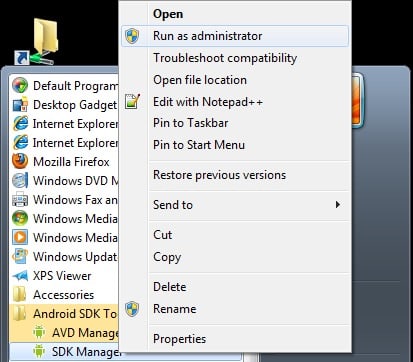
2. After installing the Android SDK, go to the start menu. Select Android SDK Tools -> SDK Manager. Right-click on it and select Run as Administrator
Note: Please make sure to run SDK Manager in administrator mode. Otherwise, you will face troubles in installing new components.
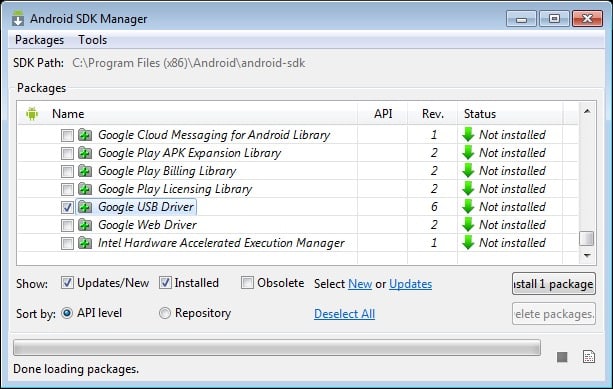
3. In SDK manager, select EXTRAS. There you need to select Google USB driver and then click Install 1 package.
4. When the installation is complete, plug in your android device.
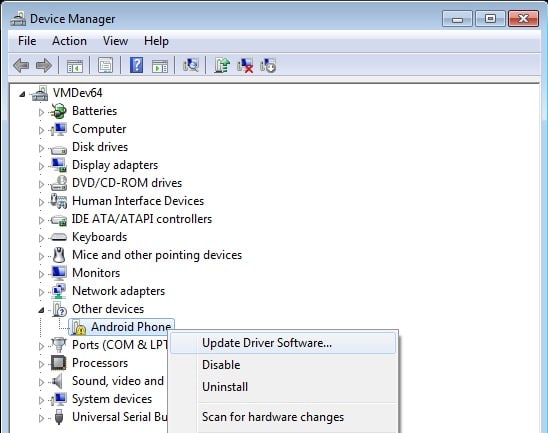
5. Open device manager on your PC. You can do by searching “Device manager” in the search bar. Here select Android phone, right click and select – Update driver software
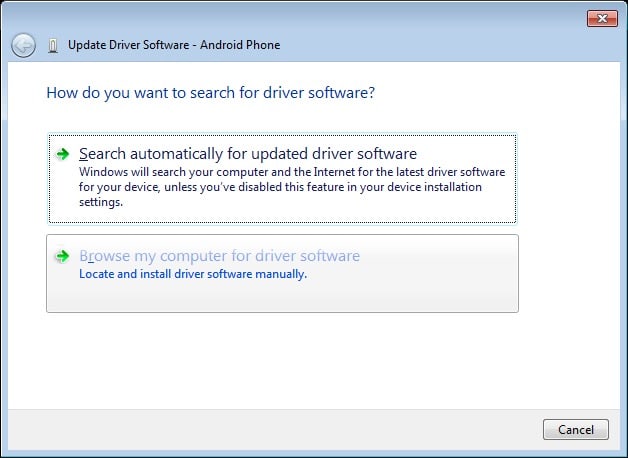
6. A new dialogue box will appear, select “Browse my computer for driver software” from the options.
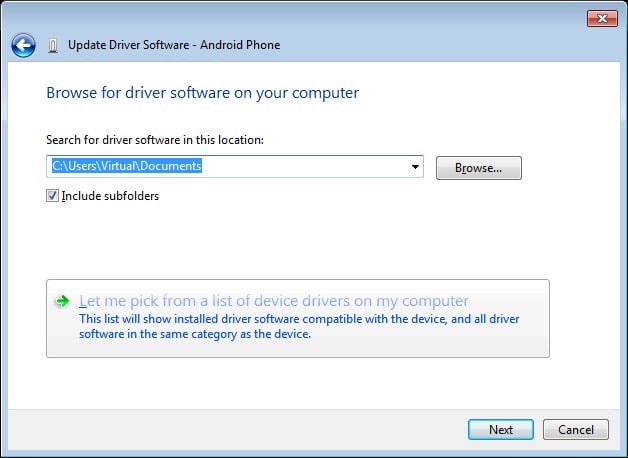
7. Now select “Let me pick from a list of device drivers on my computer” option.
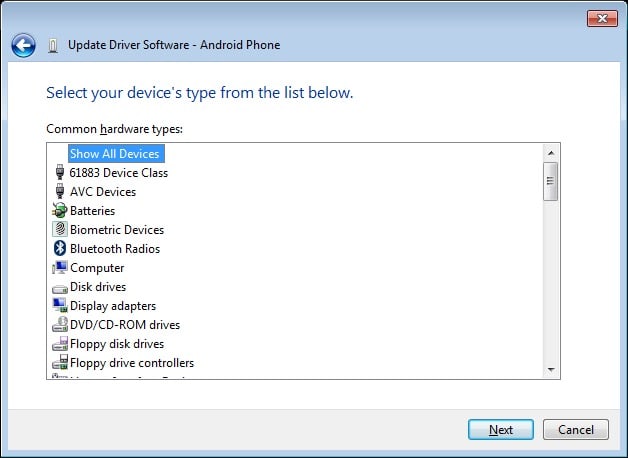
8. Select “Show All Devices” from the drop-down menu.
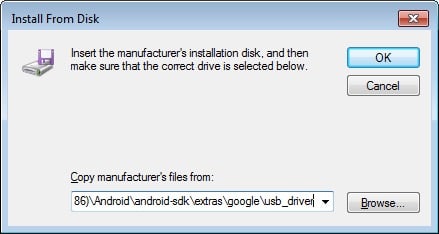
9. Click over the “have disk” button
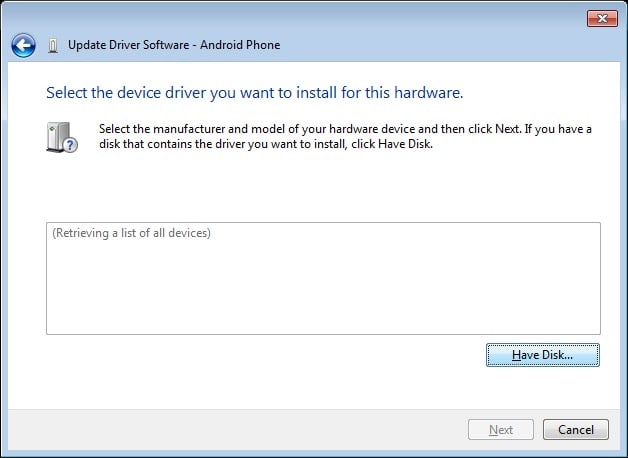
10. Enter the path for the Google USB driver.
C:\Program Files (x86)\Android\android-sdk\extras\google\usb_driver
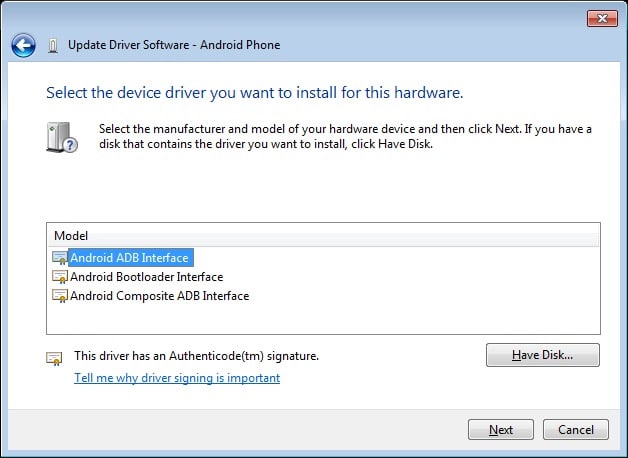
11. Select “Android ADB Interface” from the list of devices.
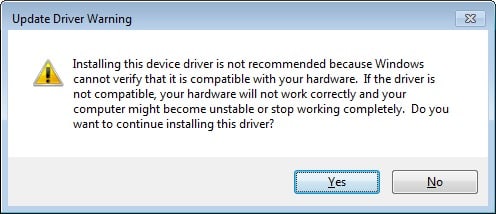
12. Confirm the Android USB driver install by pressing the “Yes” button.
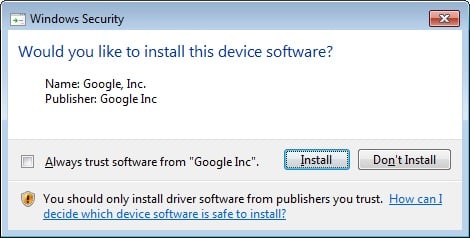
13. Press Install.
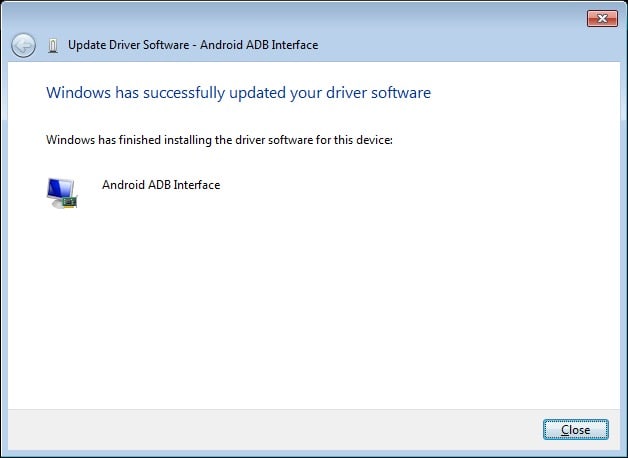
14. Now the installation is complete. You can click on the close button to terminate the installation wizard.
So, that’s it, guys. Depending on the devices you use, you can download and install the Chuwi USB Drivers. We hope this guide was useful to you.