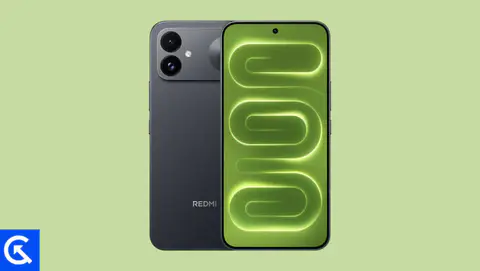
If you are here, then you probably want to install the Google camera on your Realme X50. The Chinese OEM Oppo’s sub-brand Realme has recently launched the Realme X50 5G smartphone that runs on Android 10 on the top of ColorOS 7 out-of-the-box. The handset looks really great and the punch-hole camera display also looks awesome. Though the handset has an IPS LCD display, it has Full-HD+ resolution, a 20:9 aspect ratio, 120Hz refresh rate, up to 12GB RAM, quad rear cameras, dual selfie cameras, and more.
Google Camera is just a normal camera app with simple UI but some of the useful features. These features you won’t find in any mid-range device normally. Meanwhile, the Google Camera runs on powerful software API which works perfectly and offers stunning image and video quality. The majority of the users find it useful whether in daylight or night condition than the device stock camera. It has a nice simple user interface, on-screen modes/options, and settings as well.
In this guide, you can now install the Google Camera on Realme X50 without any hurdle. What we share here is the ported GCam app from the original Google Pixel device. This version is compatible with other device models as well. Thanks to some of the creative and hard-working developers such as Arnova8G2, BSG, and Urnyx05 who’re trying hard to make ported GCam APK files to most of the devices out there. Before that let’s find out What’s new in Realme X50.

Realme X50 Device Overview
It has a 6.57-inches IPS LCD display with 1080×2400 pixels resolution with a 20:9 aspect ratio, 401 ppi pixel density, 120Hz, and protected with Corning Gorilla Glass 5. The device is powered by the octa-core Qualcomm Snapdragon 765G SoC, paired with Adreno 620 GPU, 6GB/8GB/12GB of RAM, 128GB/256GB of internal storage options. It doesn’t have any expandable storage capacity.
The device packs a quad rear camera setup of 64MP (wide, f/1.8) + 12MP (telephoto, f/3.0) + an 8MP (ultrawide, f/2.3) + 2MP (dedicated macro camera, f/2.4) lens. It features PDAF, HDR, Panorama, 2x optical zoom, an LED flash, Gyro-EIS, and more. While the front features a dual selfie camera setup of 16MP (wide, f/2.0) + an 8MP (ultrawide, f/2.2) lens with HDR mode.
The handset includes some of the major connectivity options like a 3.5mm audio jack, Wi-Fi 802.11 a/b/g/n/ac (dual-band), Bluetooth 5.0, GPS, A-GPS, GLONASS, NFC, USB Type-C port, etc. It sports a decent 4,200mAh battery with 30W fast charging support. While the device packs a side-mounted fingerprint sensor, an accelerometer, gyroscope, proximity, compass, and an ambient light sensor.
Google Camera Port for Realme X50
The Google Camera features HDR, HDR+, HDR+ enhanced, RAW, ZSL, Flash, AR Stickers, Night Sight, Portrait mode, etc. It also offers Super Res Zoom, AR Emojis, Google Lens, TimeLapse, Slow-Motion, Image Stabilization, Photosphere, and more. While the video recording also comes out clear and sharp as compared to the other stock camera apps.
Here we have mentioned the list of features/modes which are working and not working on Google Camera ported beta app for Realme X50. The issues/bugs may be fixed in the future.
Steps to install Google Camera on Realme X50
The Google Camera APK file installation process is as simple as installing any other third-party APK file. You don’t have to root your device for this.
- Download the GCam APK file from the download link above and tap on it.
- Make sure that the Unknown Sources option is enabled on your device. In order to this, go to the device Settings menu > Security/Privacy > enable it. [If already enabled, skip to the installation]
- It will launch the package installer and tap on the Install button.
- Once the installation is done, open and use it.
- Enjoy!
Still, if the camera app doesn’t work, then enable the Camera2api by using build.prop
Persist.vender.camera.HAL3.enable=1
I hope this guide will help you a lot and you have now successfully installed the Google Camera ported app on your Realme X50 handset. In case, if you’re facing any trouble, feel free to write down in the comments below.