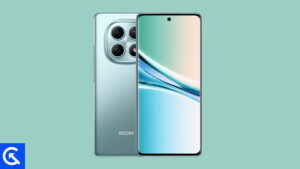
On this page, we will share all the latest Xiaomi Redmi Note 15 5G and 4G (codenamed: kunzite/spinel) firmware flash files. To flash the firmware file, you need the Xiaomi Mi Flash Tool, which works on Windows, Mac, and Linux. Follow this guide to flash the firmware stock ROM file on Redmi Note 15 5G and 4G.
The Xiaomi Redmi Note 15 5G is a well-balanced midrange phone that focuses on display quality, durability, and long-term software support. It features a large 6.77-inch AMOLED panel with a 120Hz refresh rate, ultra-high PWM dimming, and very high peak brightness, making it excellent for both indoor and outdoor use.
The phone is slim and lightweight, yet rugged, with IP66 dust and water resistance and drop protection, which is uncommon at this price point. Powered by the Snapdragon 6 Gen 3 and running HyperOS 2 on Android 15, it offers smooth daily performance with a promise of up to four major Android upgrades.
Photography is led by a 108MP main camera with OIS that delivers sharp, stable photos and supports 4K video, while the 8MP ultra-wide adds flexibility for landscapes. Stereo speakers with Dolby Atmos, an under-display fingerprint scanner, NFC, and an infrared blaster round out the feature set, though the headphone jack is missing. The 5520mAh silicon-carbon battery comfortably lasts a full day or more and supports 45W fast charging along with reverse wired charging. Overall, the Redmi Note 15 5G is a strong all-rounder that prioritizes screen quality, camera resolution, and durability over raw flagship power.
Advantages of Stock ROM:
Here are the answers to why you need to download and save the Xiaomi Redmi Note 15 5G and 4G Stock ROM flash file on your computer.
If your device is dead, you can unbrick using the Stock ROM file
You can fix or repair the IMEI on your device using DB files from Stock ROM
Remove any malware or Adware from Redmi Note 15 5G and 4G
You can fix the boot loop issue on Redmi Note 15 5G and 4G
Fix Unfortunately; the app has stopped errors on Redmi Note 15 5G and 4G
Fix Network related issue
Patch Boot image to Root using Magisk
You can unroot Xiaomi Redmi Note 15 5G and 4G
To Reset or Remove FRP on your device:
Restore Redmi Note 15 5G and 4G to Factory State
How to install Stock Firmware on Redmi Note 15 5G and 4G
Before installing, follow the prerequisites and install the necessary drivers and tools on your PC.
Pre-Requisites:
This Flash File is for Xiaomi Redmi Note 15 5G and 4G.
Optimization: Interrupt animation when entering subpages within apps
Optimization: Interrupt animation during app transitions
Optimization: Interrupt animation when closing apps in Landscape mode
System
New: Home screen wallpaper now supports a blur effect
Optimization: Updated styles for some classic pages
Updated the security patch to January 2026. Increased system security.
Basic experience
Optimization: Tweaked the Storage refresh algorithm so it activates more often
Lock screen
New: Eastern aesthetics lock screen templates
New: Customizable Lock screen shortcuts
Settings
Optimization: Added a shortcut to system navigation settings in Home screen settings
Status bar, Notification shade
New: Some status bar icons now support custom display
Please note that GetDroidTips cannot be held responsible for any damages, either internal or external, that may occur to your device as a result of following this guide. We advise you to proceed only if you have a good understanding of what you are doing and are confident in your ability to follow the instructions correctly. Your caution and care are appreciated.
Instructions to Flash The ROM:
To install MIUI Flash files on your Xiaomi Redmi Note 15 5G and 4G, we have given two methods, either you can follow the recovery method, or you can follow the Fastboot method. A detailed guide on both methods is given below:
I hope you installed the firmware file on Redmi Note 15 5G and 4G (kunzite/spinel) successfully; now, please rate this website with your comments. We always welcome feedback and improvements.