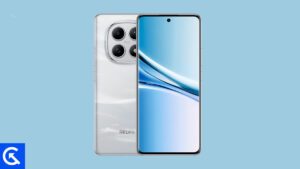
On this page, we will share all the latest Xiaomi Redmi Note 15 Pro 5G and 4G (codenamed: lapis/charoite) firmware flash files. To flash the firmware file, you need the Xiaomi Mi Flash Tool, which works on Windows, Mac, and Linux. Follow this guide to flash the firmware stock ROM file on Redmi Note 15 Pro 5G and 4G.
The Xiaomi Redmi Note 15 Pro 5G is a rugged, feature-packed mid-premium phone that puts a strong focus on display quality and durability. It comes with a large 6.83-inch AMOLED panel offering 120Hz refresh rate, Dolby Vision, HDR10+, and extremely high peak brightness, making it excellent for media consumption and outdoor use. Protection is solid with Gorilla Glass Victus 2, IP68/IP69K water and dust resistance, and high drop resistance, giving it flagship-level toughness.
The design balances a premium front with practical back options, including eco-leather, while HyperOS 2 on Android 15 promises a smooth experience with long-term update support.
Performance is driven by the Dimensity 7400 Ultra, which is well suited for daily multitasking, gaming, and power efficiency rather than raw flagship benchmarks. The 200 MP main camera with OIS delivers strong detail and versatility, supported by a usable ultra-wide lens and solid 4K video capabilities. Stereo speakers with Dolby Atmos, infrared support, and NFC add to everyday convenience.
A large 6580 mAh silicon-carbon battery ensures excellent endurance, with 45W fast charging and reverse charging covering most real-world needs. Overall, the Redmi Note 15 Pro 5G stands out as a durable, display-centric smartphone with strong cameras and battery life, aimed at users who want near-flagship features without flagship pricing.
Advantages of Stock ROM:
Here are the answers to why you need to download and save the Xiaomi Redmi Note 15 Pro 5G and 4G Stock ROM flash file on your computer.
If your device is dead, you can unbrick using the Stock ROM file
You can fix or repair the IMEI on your device using DB files from Stock ROM
Remove any malware or Adware from Redmi Note 15 Pro 5G and 4G
You can fix the boot loop issue on Redmi Note 15 Pro 5G and 4G
Fix Unfortunately; the app has stopped errors on Redmi Note 15 Pro 5G and 4G
Fix Network related issue
Patch Boot image to Root using Magisk
You can unroot Xiaomi Redmi Note 15 Pro 5G and 4G
To Reset or Remove FRP on your device:
Restore Redmi Note 15 Pro 5G and 4G to Factory State
How to install Stock Firmware on Redmi Note 15 Pro 5G and 4G
Before installing, follow the prerequisites and install the necessary drivers and tools on your PC.
Pre-Requisites:
This Flash File is for Xiaomi Redmi Note 15 Pro 5G and 4G.
Optimization: Interrupt animation when entering subpages within apps
Optimization: Interrupt animation during app transitions
Optimization: Interrupt animation when closing apps in Landscape mode
System
New: Home screen wallpaper now supports a blur effect
Optimization: Updated styles for some classic pages
Optimization: Scrolling performance on content feeds in some third party apps
Optimization: Animation effects when launching apps
Updated the security patch to December 2025. Increased system security.
Basic experience
Optimization: Tweaked the Storage refresh algorithm so it activates more often
Lock screen
New: Eastern aesthetics lock screen templates
New: Customizable Lock screen shortcuts
Camera
All-new design
Brand-new visual language: A more professional visual style provides a deeper sense of immersion while shooting.
· Structure optimization: We streamlined the feature menus and optimized the settings page.
Pro mode upgrade: Adjusted the interface layout and combined parameter options to reduce preview obstruction and help you focus on your creative process.
Enhanced watermark features:
· Film frame watermark now supports black or white backgrounds
· The standard watermark supports custom positioning.
Expanded personalization settings: Added support for multiple camera interface color schemes.
Settings
Optimization: Added a shortcut to system navigation settings in Home screen settings
Status bar, Notification shade
New: Some status bar icons now support custom display
Accessibility
Fix: Touch gestures stopped working in TalkBack mode
Fix: Volume buttons didn’t work in TalkBack mode
Fix: Issues that prevented Recorder from capturing TalkBack audio
Fix: Issues with announcements for unselected items in Calendar and other apps
Fix: Some buttons weren’t announced in several apps, including Settings, Control center, Messaging, Contacts, Weather, Notes, and Browser
Optimization: Interrupt animation when entering subpages within apps
Optimization: Interrupt animation during app transitions
Optimization: Interrupt animation when closing apps in Landscape mode
System
New: Home screen wallpaper now supports a blur effect
Optimization: Updated styles for some classic pages
Optimization: Scrolling performance on content feeds in some third party apps
Optimization: Animation effects when launching apps
Basic experience
Optimization: Tweaked the Storage refresh algorithm so it activates more often
Lock screen
New: Eastern aesthetics lock screen templates
New: Customizable Lock screen shortcuts
Camera
All-new design
Brand-new visual language: A more professional visual style provides a deeper sense of immersion while shooting.
· Structure optimization: We streamlined the feature menus and optimized the settings page.
Pro mode upgrade: Adjusted the interface layout and combined parameter options to reduce preview obstruction and help you focus on your creative process.
Enhanced watermark features:
· Film frame watermark now supports black or white backgrounds
· The standard watermark supports custom positioning.
Expanded personalization settings: Added support for multiple camera interface color schemes.
Settings
Optimization: Added a shortcut to system navigation settings in Home screen settings
Status bar, Notification shade
New: Some status bar icons now support custom display
Accessibility
Fix: Touch gestures stopped working in TalkBack mode
Fix: Volume buttons didn’t work in TalkBack mode
Fix: Issues that prevented Recorder from capturing TalkBack audio
Fix: Issues with announcements for unselected items in Calendar and other apps
Fix: Some buttons weren’t announced in several apps, including Settings, Control center, Messaging, Contacts, Weather, Notes, and Browser
Optimization: Interrupt animation when entering subpages within apps
Optimization: Interrupt animation during app transitions
Optimization: Interrupt animation when closing apps in Landscape mode
System
New: Home screen wallpaper now supports a blur effect
Optimization: Updated styles for some classic pages
Optimization: Scrolling performance on content feeds in some third party apps
Optimization: Animation effects when launching apps
Updated the security patch to December 2025. Increased system security.
Basic experience
Optimization: Tweaked the Storage refresh algorithm so it activates more often
Lock screen
New: Eastern aesthetics lock screen templates
New: Customizable Lock screen shortcuts
Camera
All-new design
Brand-new visual language: A more professional visual style provides a deeper sense of immersion while shooting.
· Structure optimization: We streamlined the feature menus and optimized the settings page.
Pro mode upgrade: Adjusted the interface layout and combined parameter options to reduce preview obstruction and help you focus on your creative process.
Enhanced watermark features:
· Film frame watermark now supports black or white backgrounds
· The standard watermark supports custom positioning.
Expanded personalization settings: Added support for multiple camera interface color schemes.
Settings
Optimization: Added a shortcut to system navigation settings in Home screen settings
Status bar, Notification shade
New: Some status bar icons now support custom display
Accessibility
Fix: Touch gestures stopped working in TalkBack mode
Fix: Volume buttons didn’t work in TalkBack mode
Fix: Issues that prevented Recorder from capturing TalkBack audio
Fix: Issues with announcements for unselected items in Calendar and other apps
Fix: Some buttons weren’t announced in several apps, including Settings, Control center, Messaging, Contacts, Weather, Notes, and Browser
Optimization: Tweaked the Storage refresh algorithm so it activates more often
System animations
Optimization: Interrupt animation during app transitions
Optimization: Interrupt animation when entering subpages within apps
System
New: Home screen wallpaper now supports a blur effect
Optimization: Updated styles for some classic pages
Optimization: Animation effects when launching apps
Optimization: Stability of animations when opening and closing apps
Fix: Wallpapers disappeared in rare cases when opening or closing apps
Fix: Occasional display glitches when opening or closing apps
Fix: Power consumption was higher than expected in some cases
Updated the security patch to December 2025. Increased system security.
Lock screen
New: Lock screen wallpapers now support lens effect
Settings
Optimization: Added a shortcut to system navigation settings in Home screen settings
Status bar, Notification shade
New: Some status bar icons now support custom display
Please note that GetDroidTips cannot be held responsible for any damages, either internal or external, that may occur to your device as a result of following this guide. We advise you to proceed only if you have a good understanding of what you are doing and are confident in your ability to follow the instructions correctly. Your caution and care are appreciated.
Instructions to Flash The ROM:
To install MIUI Flash files on your Xiaomi Redmi Note 15 Pro 5G and 4G, we have given two methods, either you can follow the recovery method, or you can follow the Fastboot method. A detailed guide on both methods is given below:
I hope you installed the firmware file on Redmi Note 15 Pro 5G and 4G (lapis/charoite) successfully; now, please rate this website with your comments. We always welcome feedback and improvements.