
On this page, we will share all the latest Xiaomi Poco F3 GT (codenamed ares) firmware flash files. To flash the firmware file, you need Xiaomi Mi Flash Tool which works on both Windows, Mac, and Linux. You can follow this guide to flash the firmware stock ROM file on Xiaomi Poco F3 GT.
Also Read
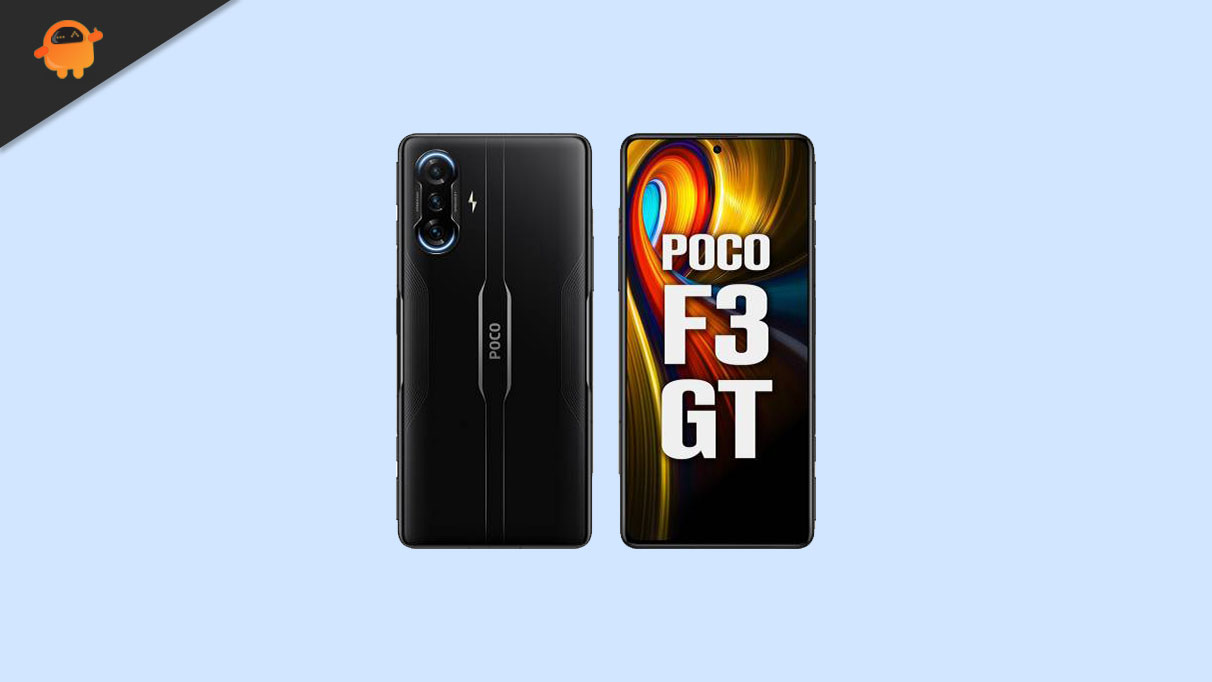
Xiaomi Poco F3 GT Device Overview:
The Poco F3 GT, launched in July 2021, was built with gaming clearly in mind. It features a 6.67-inch AMOLED display with 120Hz refresh rate and HDR10+, protected by Gorilla Glass 5 on both front and back. The standout hardware touch is the physical pop-up gaming triggers, which give it a console-like feel for shooters and racing games.
Powered by the MediaTek Dimensity 1200 (6nm) chipset with UFS 3.1 storage, the phone delivered flagship-level performance for its time, handling heavy gaming and multitasking smoothly under MIUI for POCO based on Android 11.
In daily use, the F3 GT still holds up decently thanks to its solid AMOLED panel, stereo speakers tuned by JBL, and reliable performance. The 64MP triple camera setup is serviceable for casual photography, though not a strong point compared to camera-focused phones.
Battery life is a highlight, with a 5065mAh battery and 67W fast charging that can fully charge the phone in around 42 minutes. Overall, the Poco F3 GT remains a well-remembered device for gamers, especially for those who value physical triggers, fast charging, and a premium gaming-oriented design over camera excellence.
Advantages of Stock ROM:
Here are the answers to why you need to download and save the Poco F3 GT Stock ROM flash file on your computer.
- If your device is dead, you can unbrick using the Stock ROM file
- You can fix or repair the IMEI on your device using DB files from Stock ROM
- Remove any malware or Adwares from Poco F3 GT
- You can fix the boot loop issue on the Poco F3 GT
- Fix Unfortunately, the app has stopped errors on the Poco F3 GT
- Fix Network related issue
- Patch Boot image to Root using Magisk
- You can unroot the Poco F3 GT
- To Reset or Remove FRP on your device:
- Restore Poco F3 GT back to Factory State
How to install Stock Firmware on Xiaomi Poco F3 GT
Before installing, make sure to follow the pre-requisite and install the necessary drivers and tools on your PC.
Pre-Requisites:
- This Flash File is for Xiaomi Poco F3 GT.
- You should have a working Windows PC/Laptop
- Download and Install the latest Xiaomi USB Driver for Windows and MAC.
- Download and Install the Xiaomi Mi Flash tool on your PC (Fastboot Method)
- Charge your phone to at least 50% before upgrading your phone.
- Take a complete backup of your phone data
Download Firmware Files:
| Software Version | Scatter/EDL Firmware/OTA |
| OS1.0.2.0.TKJINXM | Recovery ROM | Fastboot ROM |
| V14.0.5.0.TKJINXM | Recovery ROM | Fastboot ROM |
| V14.0.4.0.TKJINXM | Recovery ROM | Fastboot ROM |
| V14.0.3.0.TKJINXM | Recovery ROM | Fastboot ROM |
| V14.0.1.0.TKJINXM | Recovery ROM | Fastboot ROM |
| V13.0.5.0.SKJINXM | Recovery ROM | Fastboot ROM |
| V13.0.4.0.SKJINXM | Recovery ROM | Fastboot ROM |
| V13.0.3.0.SKJINXM | Recovery ROM | Fastboot ROM |
| V13.0.1.0.SKJINXM | Recovery ROM | Fastboot ROM |
| V12.5.7.0.RKJINXM | Recovery ROM | Fastboot ROM |
| V12.5.5.0.RKJINXM | Recovery ROM | Fastboot ROM |
| V12.5.4.0.RKJINXM | Recovery ROM | Fastboot ROM |
Disclaimer!
GetDroidTips will not be responsible for any internal/external damages to the device that may happen while/after following this guide. Please proceed if you know what you’re doing!
Instructions to Flash The ROM:
To install MIUI Flash files on your Xiaomi Poco F3 GT, we have given two methods, either you can follow the recovery method or you can follow the Fastboot method. A detailed guide on both methods is given down below:
Guide to Install MIUI ROM on Xiaomi Device [Recovery/Fastboot]
I hope you installed the Stock ROM on Xiaomi Poco F3 GT (ares) successfully, Now please rate this website with your comment. We always welcome feedback and improvements.
Discussion
1 CommentWhen did we get the Stock Rom of Poco F3 GT???