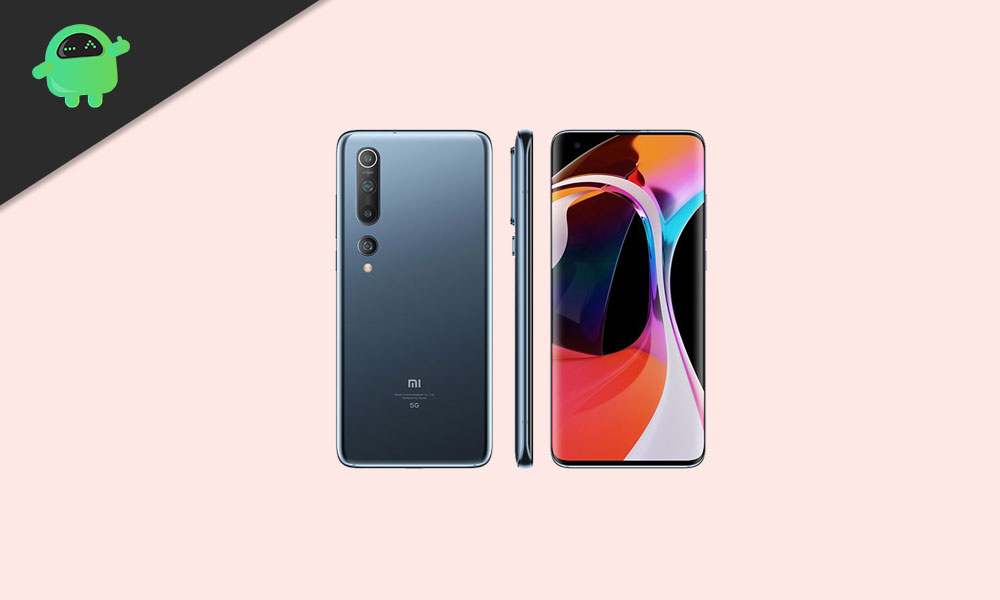
After Mi 10 Pro, Even Mi 10 started receiving the latest Hyper OS Global Stable ROM based on Android 13. The update bumps up a new software version OS1.0.4.0.TJBMIXM. Although it’s a Hyper OS Stable version, it’s expected that users may not experience any major bug or error in this build. Now, all the interested Xiaomi Mi 10 users can upgrade to this version via OTA or by following the flashing guide below.
Talking about the Xiaomi Mi 10, it was launched in 2019 with Android 9.0 Pie and has already received the Android 10 update. In terms of this latest firmware update, the Xiaomi Mi 10 users will get the all-new Hyper OS skin, improved system animations, new wallpapers, privacy protection, floating windows, improved control center, improved dark mode, always-on display mode, improved lock screen, redesigned home screen, improved camera app, enhanced weather info, improved settings, security features, etc. You can check out the full update changelog below.
Xiaomi pushes the firmware OTA update to its devices in a phased manner and this process may take a few days or more to arrive on all the units completely. Meanwhile, all the interested users can manually check for the OTA update via the phone Settings > About Phone > Software updates.
Alternatively, the Xiaomi Mi 10 users can also go to the Software Updater app and check for the same. If there is any latest update available, just download and install it. Make sure to connect the handset to a Wi-Fi network and keep the battery level at least up to 50%.
Now, if in case, you’re not getting the OTA update notification, then you should manually flash the firmware file on your handset by following the guide below.
New: All-new physically based animation engine with advanced architecture will refresh your device’s look.
New: Dynamic window technology takes switching screen orientation to a new level.
System visuals
Brand new visual design works for all types of content and languages.
Magazine-level layouts bring important things into the spotlight and make content structure clear.
Super wallpapers
New: Super wallpapers break physical boundaries and keep inspiring you with every touch.
Fix: Status bar colors weren’t displayed correctly in the Dark mode
[su_spoiler title=”Read More”]
Privacy protection
New: MIUI 12 is the first Android-based mobile OS that went through the rigorous enhanced privacy protection testing.
New: Use secure sharing to control what additional data is sent along with shared items.
Floating windows
New: Pull down a notification sent by a messenger app to turn it into a floating window.
New: Floating windows keep apps running in the foreground even when you pause to do other things.
New: You can minimize a floating window using a full screen gesture.
Optimization: Press and hold an app preview in Recents to choose between Split screen and floating windows.
Control center
New: Swipe down from the upper right corner of your screen to open Control center.
New: Animated icons are a joy to look at!
Mi Share
New: Recently connected devices will be pinned on top of the list for a short time
Dark mode
New: Dark mode support is also provided for third party apps now.
New: Contrast is lowered automatically in low light conditions to protect your eyes.
New: Wallpapers can be displayed in darker palette when your device switches to Dark mode.
Casting
New: You can hide private items while casting and minimize the window to multitask.
Always-on display
Fix: Lock screen items were shown on the Always-on display
System
Updated Android Security Patch to June 2020. Increased system security.
Lock screen
Fix: Fingerprint unlock didn’t work on Always-on display in some cases
Removed: Lock screen and Always-on display issues in Second space
Home screen
New: Animated Home screen icons are neat and satisfying.
New: We’ve added a new animation for uninstalling apps.
New: Gravitational animations make returning to Home screen look seamless and natural.
New: App drawer allows you to keep your Home screen neat and categorizes apps so you can find them faster.
Weather
New: New animations bring the weather from outside directly to your screen.
Settings
New: Lite mode simplifies your device and brings essential features up front.
Notes
New: You can create folders with notes now.
New: New dynamic backgrounds look gorgeous!
New: Tasks are completed with a satisfying animation now.
New: Checklists of subtasks make managing your agenda much simpler.
Security
New: New animations feel natural and refreshing.
New: Binging your favorite shows will be more convenient with our new video toolbox.
[/su_spoiler]
How to Install Hyper OS Global Stable ROM for Mi 10
Installing the stock ROM or upgrading the MIUI version on Xiaomi devices is comparatively easy. But you should follow all the pre-requirements and downloads below before proceeding.
Pre-Requirements:
Supported for: Xiaomi Mi 10 model only. The device should be running on stock ROM to apply the update.
Requires: A PC/Laptop and a USB cable.
Backup: Take a full Backup of Phone Data at first to keep the important files safe.
We recommend to take a full backup first. GetDroidTips will not be held responsible for any type of issue on your device while or after following this guide or even flashing any file. So, proceed at your own risk.
Instructions to Install:
We assume that you’ve followed the downloads and requirements properly. Now, you can proceed to install Hyper OS Global Stable ROM on Xiaomi Mi 10. Check out the guide link below along with a video tutorial as well.
We hope that you’ve updated or installed the latest Hyper OS on your Xiaomi Mi 10 successfully. Feel free to ask in the comments below for any queries.