Set up the tlg_pc native port and play The Last Guardian on Windows: download, PKG extraction, update 1.03, launcher setup, controls and fixes.
Abd Razaaq
Published ·5 min read
Share
The Last Guardian never left the PlayStation 4, but a community project called tlg_pc now runs it natively on Windows and Linux. It is not an emulator in the usual sense. According to the project’s README, the game’s own code runs directly on your processor, the PS4 system is reimplemented, and the graphics are translated to Vulkan.
In this guide, we’ll walk through the full Windows setup: downloading the port, preparing your game folder, launching it, and fixing the most common problems.
Important: this is an unofficial project and it is still experimental. The download does not include the game. You need a dump made from your own PS4 copy of The Last Guardian. We don’t provide game files or links to them, so please don’t ask for them in the comments.
What You Need Before You Start
Windows 10 (version 1903 or newer) or Windows 11, 64-bit.
A graphics card with Vulkan 1.3 support. The project recommends 6 GB of VRAM, and a recent driver if you use NVIDIA.
About 25 GB of free storage for the merged game folder.
Your own copy of the game with update 01.03. The port works with two PS4 releases, covered below.
One thing to know up front: the notes for the latest release (v2026.11.14) mark the Windows build as not yet tested in game. Linux is the tested platform, so expect rough edges on Windows.
Which Version of the Game Works?
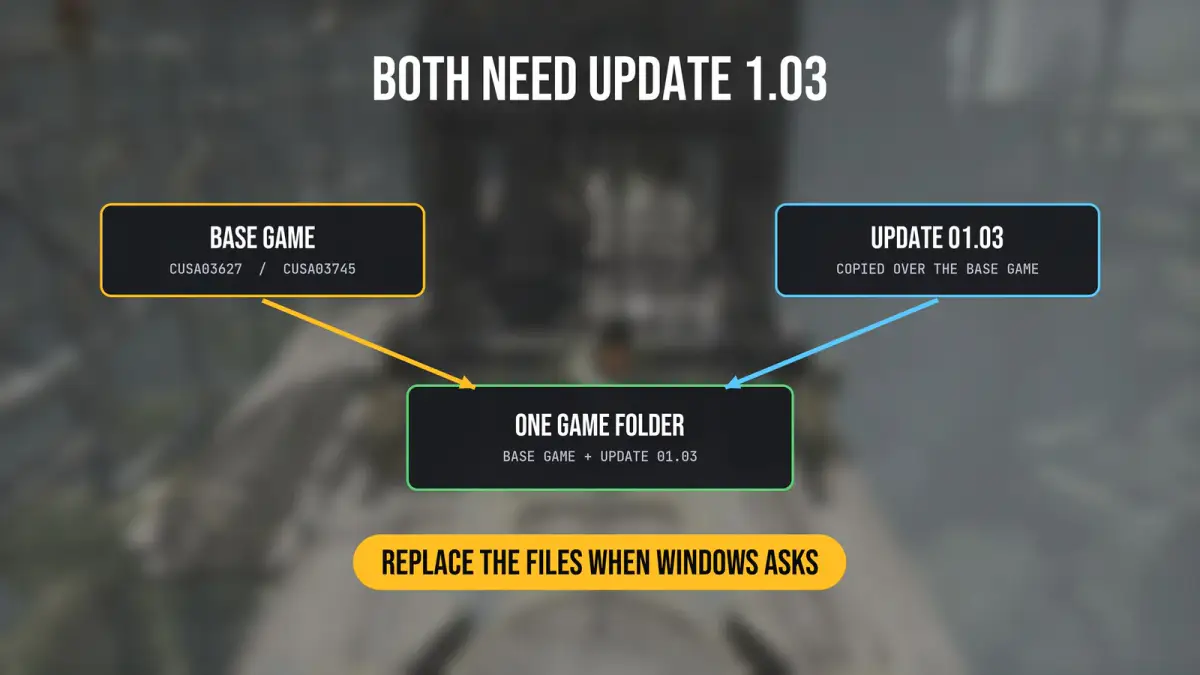
The port supports two releases of the PS4 game, and both need update 01.03 copied over the base game in a single folder:
American release, CUSA03627: four languages — English, Portuguese, Spanish and French.
European release, CUSA03745: fifteen languages, with Russian, Dutch, German, Polish and Turkish among them.
Advertisement
The game’s eboot.bin must be the one from update 1.03. If it comes from the base game, the port will not start it.
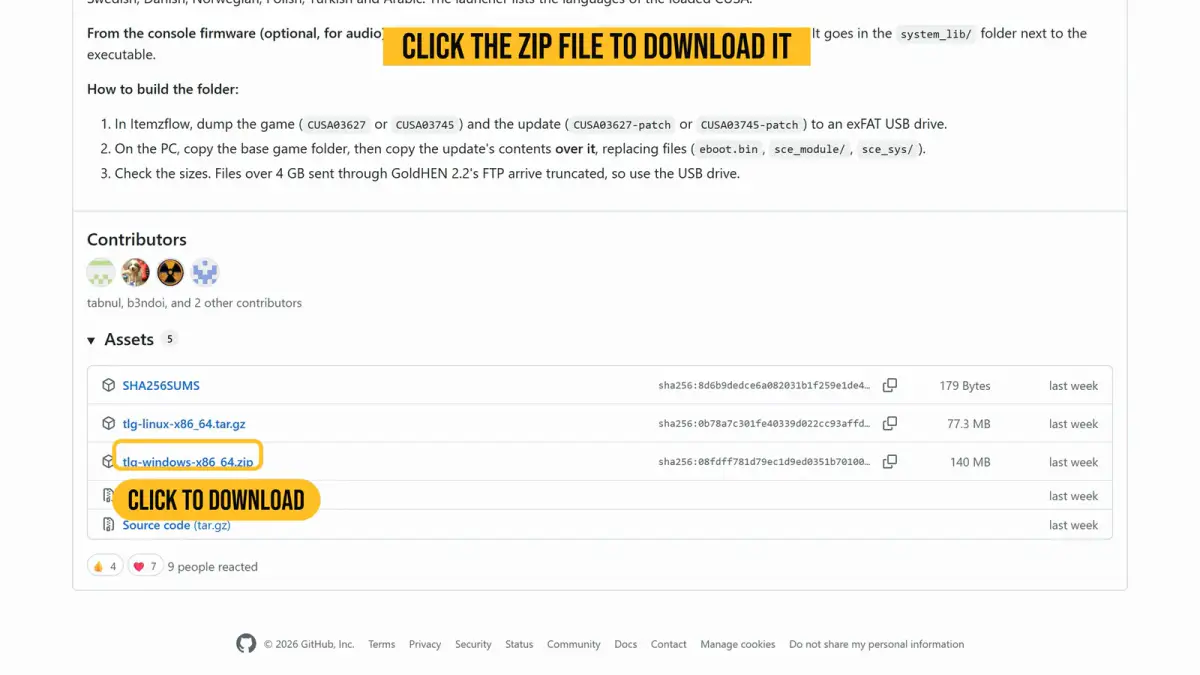
Find the Releases section on the right and open the latest release.
Under Assets, download tlg-windows-x86_64.zip. The tar.gz file next to it is the Linux version, so you can ignore it on Windows.
Step 2: Extract the ZIP
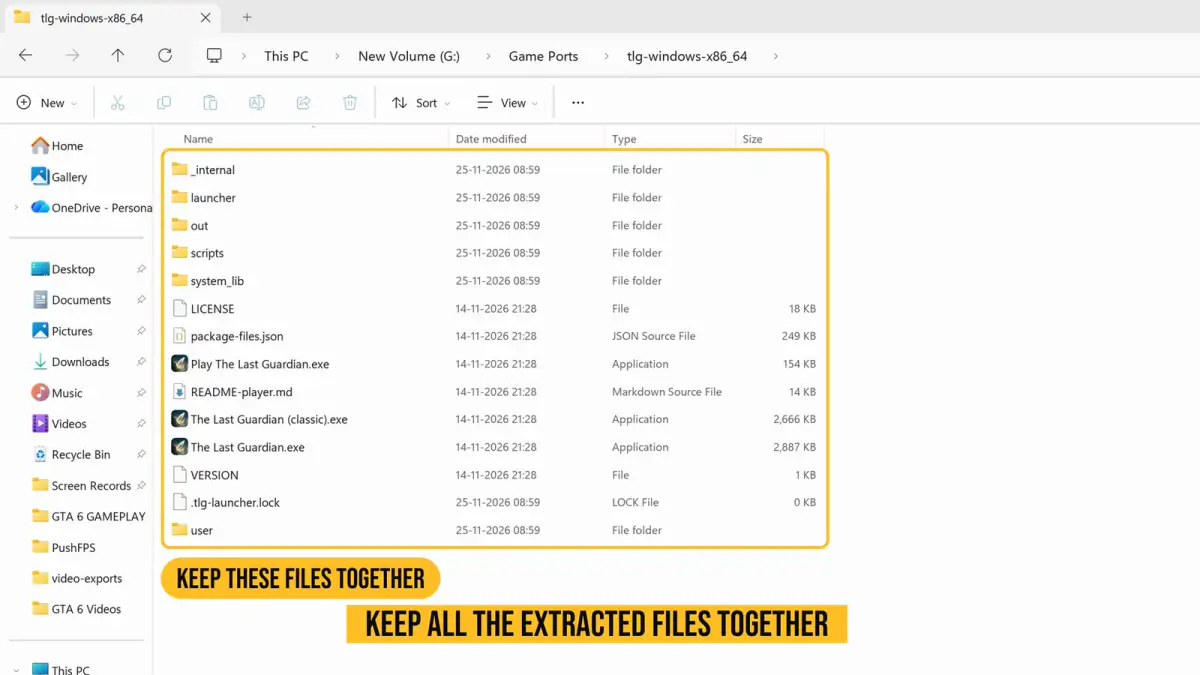
Open your Downloads folder, right-click the ZIP and choose Extract All, or use your preferred extraction tool. Pick a new folder on a drive with enough free space, and keep all the extracted files together. The launcher depends on the folders next to it.
Step 3: Prepare Your Game Folder
The port needs one folder that contains the base game with update 01.03 applied on top. If your own dump is already an extracted folder, skip to the merge step. If it is in PKG format, extract it first.
Advertisement
Extract the PKG files
We used the same tool as in our earlier port guides: ShadPs4Plus PKG Extractor 1.1, a standalone command-line tool based on code that used to be part of shadPS4.
Download ShadPs4Plus-PkgExtractor-1.1-windows.zip from its release page and extract it into its own folder.
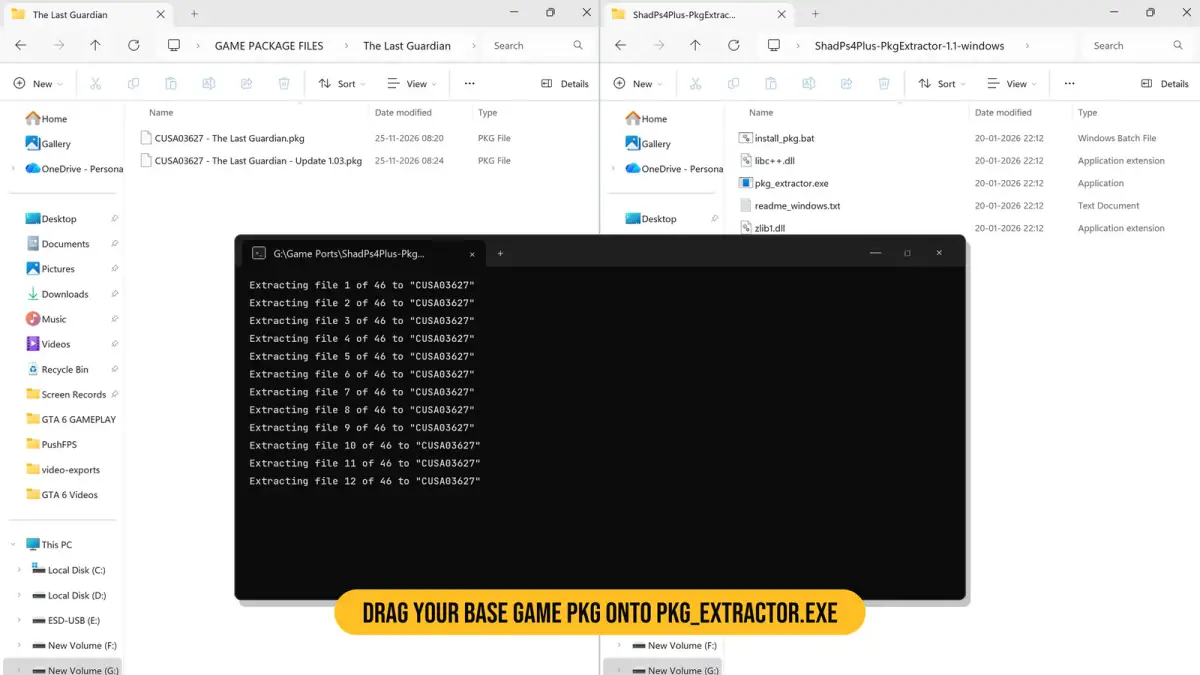
Open the extractor folder and drag your base game PKG onto pkg_extractor.exe. The tool extracts it next to the PKG file.
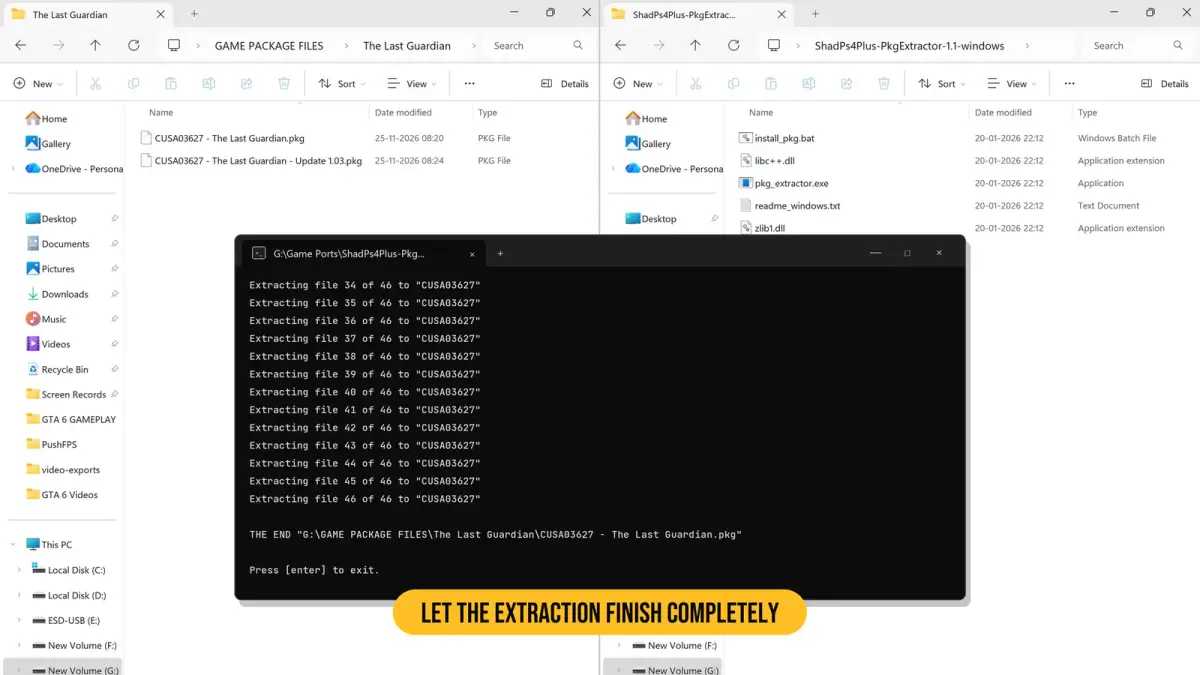
Let the extraction finish completely, then drag the update 1.03 PKG onto the extractor as well.
You should now have two extracted folders: one for the base game and one for the update.
Use version 1.1 of the extractor. Its release notes say it fixes a 1.0 bug that corrupted some files when a PKG larger than 2 GB was extracted.
Merge the update into the base game
Copy the base game into one folder, then copy the update’s contents over it and choose to replace the files when Windows asks. The update replaces eboot.bin, sce_module and sce_sys, which is exactly what the port expects.
It is also worth checking file sizes afterwards. The project warns that files over 4 GB can arrive cut short when they are transferred over FTP from the console, and recommends a USB drive instead.
Step 4: Launch the Game
Open the extracted port folder and double-click The Last Guardian.exe.
If Windows SmartScreen shows a warning, click More info, then Run anyway. The launcher is not digitally signed.
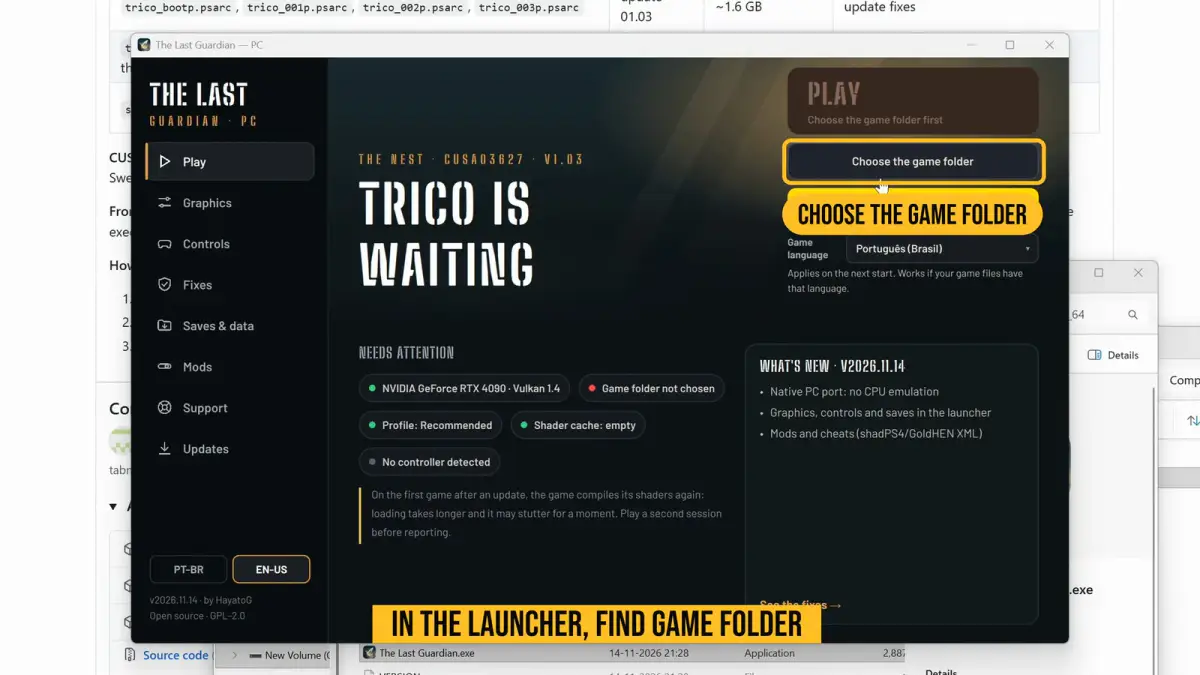
In the launcher, click Choose the game folder and select the folder that contains eboot.bin.
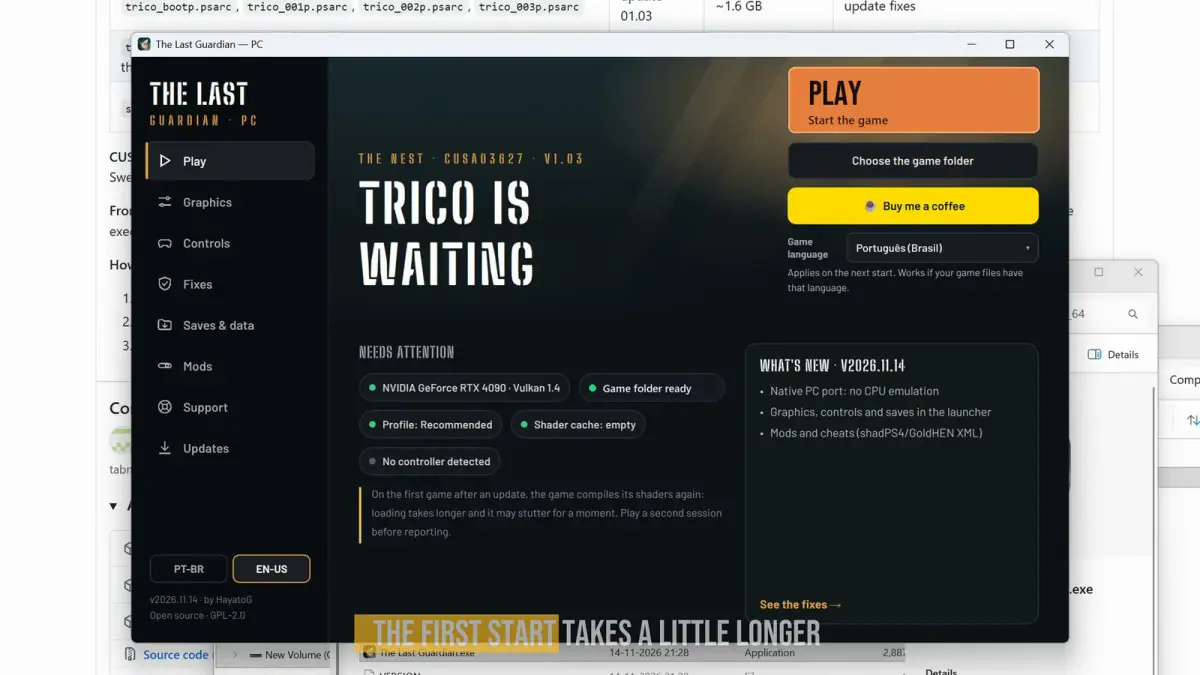
Pick your game language and click Play.
The first start takes longer than usual, so give it a moment. The launcher also notes that after an update the game compiles its shaders again, which can cause a short stutter.
Controls and Settings
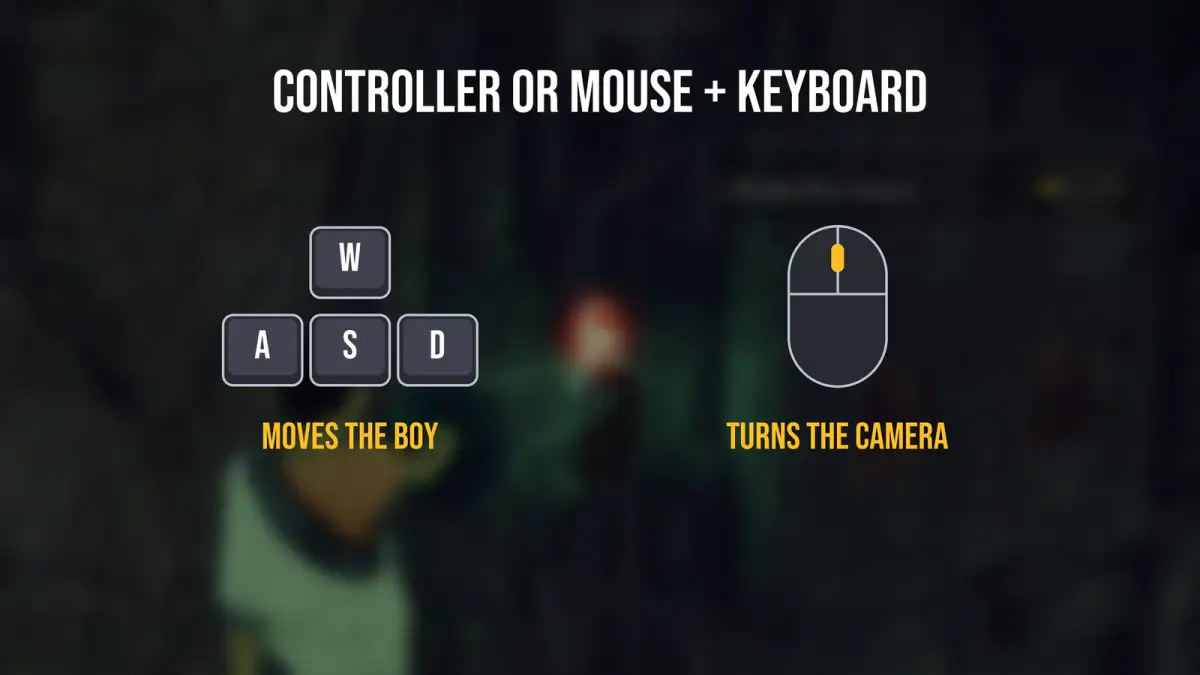
You can play with a controller or with mouse and keyboard. PS4, PS5, Xbox and 8BitDo controllers are supported over USB or Bluetooth. On keyboard, W, A, S, D moves the boy and the mouse turns the camera.
F10 shows the frame rate counter.
Insert opens the port menu with image and performance options.
Esc releases the mouse, and a click captures it again.
The game runs at 30 frames per second by default. A 60 FPS mode is available in the launcher, but the project still labels it experimental.
Troubleshooting
The game doesn’t start: confirm that eboot.bin comes from update 1.03 and that no file was cut short while copying.
Sound is missing effects: full audio needs an optional file, libSceNgs2.sprx, taken from your own console and placed in the system_lib folder next to the launcher. Without it, the port uses its own experimental mixer with no reverb or filters.
Keeping your saves: saves are stored in the user folder next to the launcher. Keep that folder when you update the port.
Reporting a crash: the project asks for the out/last_run.log file when you open an issue on GitHub.
Final Words
That’s the whole setup: download the port, extract it, prepare one game folder with update 1.03 on top, and point the launcher at it. Just remember this is an early community build, so crashes in untested areas are possible.
Have you played The Last Guardian before, or is this your first time with Trico? Let us know in the comments.
I'm a Tech Content Writer and Full-Time blogger. Since I love Android and Google's device, I started my career in writing for Android OS and their features. This led me to start "GetDroidTips". I have completed Master of Business Administration at Mangalore University, Karnataka.
Share
Leave a Comment
Share your thoughts, questions, or extra tips with other readers.