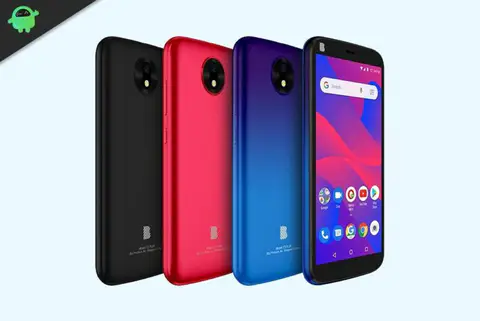
ByPass FRP lock on BLU C5 Plus C130EQ | Using CM2 or NCK Pro
On this page, we will guide you on how to remove the Google account or bypass the FRP lock verification on the BLU C5...
3 articles

On this page, we will guide you on how to remove the Google account or bypass the FRP lock verification on the BLU C5...
![Easy Method To Root BLU C5 Plus C130EQ Using Magisk [No TWRP needed]](/api/image/How-to-Install-Stock-ROM-on-BLU-C5-Plus-C130EQ-768x357.webp?url=https%3A%2F%2Fwp.getdroidtips.com%2Fwp-content%2Fuploads%2F2020%2F05%2FHow-to-Install-Stock-ROM-on-BLU-C5-Plus-C130EQ-768x357.jpg&w=480)
BLU C5 Plus C130EQ is one of the latest smartphones launched by BLU brand. It runs on stock Android 8.1 Oreo which is...
![How to Install Stock ROM on BLU C5 Plus C130EQ [Firmware File]](/api/image/How-to-Install-Stock-ROM-on-BLU-C5-Plus-C130EQ-768x357.webp?url=https%3A%2F%2Fwp.getdroidtips.com%2Fwp-content%2Fuploads%2F2020%2F05%2FHow-to-Install-Stock-ROM-on-BLU-C5-Plus-C130EQ-768x357.jpg&w=480)
On this page, we will guide you on how to install the official stock ROM flash file on your BLU C5 Plus C130EQ. Well,...