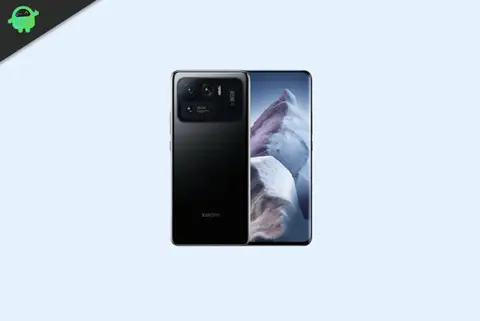
Motorola Moto Z Play (codename: addison) launched in September 2016. It shipped with Android 6.0.1 Marshmallow and later received Android 8.0 Oreo, which was its last official version. Android is open source, so the community has built custom ROMs that take the phone well past Oreo. Here is a list of the best custom ROMs for the Moto Z Play.
The Moto Z Play has a 5.5-inch display at 1080 x 1920 pixels, a Qualcomm Snapdragon 625 (MSM8953) with 3GB of RAM, and 32GB of storage. The rear camera is 16MP and the front camera is 5MP. It runs on a non-removable 3,510mAh battery with fast charging and has a fingerprint sensor on the front.
Most of the ROMs below are community builds from the Nougat through Pie era, so some are no longer maintained. Check each ROM’s XDA thread for the latest build and its list of working features and known bugs before you flash.
What is a stock ROM?
When you buy a new Android phone, it comes with a stock ROM, also called the stock firmware. That is the operating system the manufacturer preinstalls, and its features are limited to what the manufacturer chose to include. If you want more than that, you can switch to a custom ROM.
For more on the two, read the difference between stock ROM and custom ROM.
What is a custom ROM?
Android is open source, so a developer can take Google’s source code and build a complete operating system for a phone or tablet from it. That community-built OS is a custom ROM, and it replaces the stock ROM your device shipped with. It includes its own kernel, which makes it a standalone OS. Many developers strip out the carrier and OEM apps to give a cleaner, closer-to-stock Android experience.
Custom ROMs are updated by the community, which fixes bugs and often brings a newer version of Android to a phone that the manufacturer stopped supporting.

Best custom ROMs for the Moto Z Play
To install any custom ROM on the Moto Z Play you need an unlocked bootloader and TWRP recovery. Here is the guide to install TWRP recovery on the Moto Z Play. Once TWRP is in place you can flash any of the ROMs below. Read each ROM’s description and thread first, since not every build is stable enough to use as a daily driver.
Android 11:
Android 11 looks similar to Android 10 but adds notification history, chat bubbles, conversation notifications, a built-in screen recorder, new media controls, smart device controls, one-time permissions, a scheduled dark theme, and app suggestions. For more, see our Android 11 supported list, Android 11 custom ROM list, and best Android 11 features.
Download ROM Here
Android 10:
Android 10 adds built-in call screening, a multi-camera API, smart replies in the notification panel, a system-wide dark theme, live caption, and a Focus mode similar to Do Not Disturb. It also improves battery handling and includes gesture navigation.
Download ROM Here
Android 9.0 Pie:
Android 9 Pie’s most notable change over Oreo is gesture-based navigation. It also brings a redesigned Quick Settings panel and volume slider, adaptive battery, notch support, improved adaptive brightness, and the Digital Wellbeing dashboard.
Download ROM Here
LineageOS:
LineageOS is the successor to CyanogenMod, which shut down after the company behind it wound the project down. LineageOS picked up where it left off and is now one of the most widely used custom ROMs. On the Moto Z Play it brings a customizable status bar, themes, navigation bar resizing and tinting, quick toggles, and more.
Follow the link below to install LineageOS on the Moto Z Play.
Download ROM Here – LineageOS 17.1
AOSPExtended:
AOSPExtended is based on the AOSP source with cherry-picked commits from several other projects. Being close to AOSP, it runs smoothly out of the box while still adding features such as status bar and lock screen customization, theming, and a configurable navigation bar.
Download ROM Here
AOSiP:
AOSiP stands for Android Open Source illusion Project. It is based on Google’s AOSP source and aims for a clean, stable build with a light set of extra features.
Download ROM Here
Dirty Unicorns:
Dirty Unicorns is a long-running custom ROM built from AOSP. The project started in 2012, first based on AOKP and later moved to the AOSP tree.
Download ROM Here
Liquid Remix:
Liquid Remix is an open-source ROM built from scratch, pulling together features from several of the better known custom ROMs.
Download ROM Here
Mokee:
Mokee is an open-source custom ROM based on AOSP. It was started by a small group of Chinese developers during the Jelly Bean era and adds a set of customizations over stock.
Download ROM Here
CarbonROM:
CarbonROM is based on AOSP, so its interface stays close to stock Android. The focus is less on the look and more on adding useful features with regular updates and support.
Download ROM Here
Bootleggers:
Bootleggers is based on the Ground Zero Open Source Project (GZOSP). It keeps the stability of GZOSP and adds custom wallpapers, ringtones, fonts, and icon and header packs for a fresher look.
Download ROM Here
ViperOS:
ViperOS is based on AOSP with its own set of mods borrowed from CM, LineageOS, Slim, Omni, and AOSPA. It started when Google released the Android 7.1 Nougat source and aims for a good balance between battery life and performance.
Download ROM Here
crDroid:
crDroid is built mainly on LineageOS and aims to improve performance and reliability over stock Android while adding many of the features people look for in a custom ROM. Because it is based on LineageOS, it works with LineageOS-compatible kernels.
Download ROM Here
Resurrection Remix:
Resurrection Remix combines the stability of CM with features from Slim, Omni, and the original Remix builds. It is a full-featured, heavily customizable ROM with a wide range of its own add-ons covering performance, theming, and system tweaks.
Download ROM Here
How to install a custom ROM on the Moto Z Play
The general steps are the same for every ROM above:
- Unlock the bootloader on your Moto Z Play.
- Install TWRP recovery using our TWRP guide.
- Download the ROM ZIP and a matching GApps package, and copy both to your phone.
- Boot into TWRP, back up your current setup, then wipe System, Data, Cache, and Dalvik/ART cache.
- Flash the ROM ZIP, then flash GApps, then reboot.
The first boot can take several minutes. Always read the ROM’s own thread for device-specific steps, since some builds need a particular firmware base or TWRP version.
FAQ
Which Android version can the Moto Z Play run?
Officially it stopped at Android 8.0 Oreo. With the community ROMs above you can run anything from Android 7 Nougat up to Android 11, depending on the build.
Do I need to install GApps?
Yes, if you want the Play Store and Google apps. Most of these ROMs ship without Google apps, so you flash a GApps package right after the ROM. Match the GApps Android version to the ROM’s Android version.
Are these ROMs still updated?
Some are, many are not. Most were built during the Nougat to Pie period. Open the linked XDA thread to see the latest post and whether the developer is still releasing updates.
Will flashing a custom ROM void my warranty or wipe my data?
Unlocking the bootloader wipes the phone, so back up first. Installing a custom ROM can void the warranty, though the Moto Z Play is old enough that warranty is rarely a concern now.
That is the list of the best custom ROMs for the Moto Z Play. If you have a favourite that is not here, leave it in the comments.