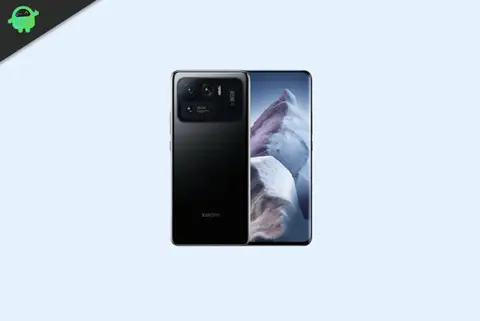
The HTC One M8 and M8 Dual (codenames m8 and m8d) launched in March 2014 with Android 4.4.2 KitKat, and HTC’s last update took it to Android 6.0 Marshmallow. Thanks to the community, you can run LineageOS 20, based on Android 13, on it today. That’s the newest Android version available for this phone.
This guide walks through installing it. One thing to know first: this is an unofficial build. Official LineageOS for the M8 stopped at version 17.1 (Android 10), and a community developer carried it forward to LineageOS 20. It’s marked stable in its XDA thread, but as with any unofficial ROM, expect the odd rough edge.

What you get with LineageOS 20
LineageOS 20 is based on Android 13. On the M8 it brings the Material You design with themed icons, per-app language settings, a redesigned media player and privacy controls, and the clean, close-to-stock experience LineageOS is known for. It replaces HTC’s old Sense software completely.
The M8 is a 2014 phone, so don’t expect flagship speed, but LineageOS runs far lighter than the stock software and keeps the phone usable in 2026.
Before you start
- This ROM is only for the HTC One M8 (m8) and M8 Dual (m8d). Check which one you have before flashing.
- Charge the phone to at least 50%.
- Back up your data. Installing wipes the phone.
- Unlock the bootloader and install TWRP recovery first. Use a recent TWRP build, since older ones can fail to flash an Android 13 ROM.
- Install ADB and Fastboot and the HTC USB drivers on your PC.
Download links
Always grab the latest build from the XDA thread, and read the first post for the GApps package it recommends and any device-specific notes before flashing.
Warning!
This build is for the HTC One M8 / M8 Dual only. Flashing it on any other device will brick it. GetDroidTips is not responsible for any damage. Do it at your own risk.
How to install LineageOS 20 on the HTC One M8
- Copy the ROM zip and the GApps zip to the phone’s storage.
- Boot into TWRP recovery. You can run
adb reboot recovery from your PC, or use the volume and power keys.
- In TWRP, tap Wipe, then Advanced Wipe, and tick System, Data, Cache and Dalvik/ART Cache. Swipe to wipe. (Do a factory reset like this when coming from the stock ROM or an older Android version.)
- Tap Install, select the LineageOS 20 zip and swipe to flash it.
- Without rebooting, tap Install again and flash the GApps zip.
- Go to Reboot and select System.

The first boot can take several minutes. If it gets stuck, boot back into TWRP and repeat the wipe step, then flash again.
Frequently asked questions
Is this the newest Android version for the HTC One M8?
Yes. Android 13 through LineageOS 20 is the newest build available for the M8. There’s no official LineageOS 21 (Android 14) for this phone.
Is this an official LineageOS build?
No. Official LineageOS for the M8 ended at 17.1 (Android 10). This LineageOS 20 build is an unofficial community release, marked stable by its developer.
Do I need to root separately?
LineageOS doesn’t come rooted. To root, flash the latest Magisk in TWRP after installing the ROM.
Which GApps should I use?
An Android 13 ARM package. LineageOS 20 recommends MindTheGapps, and the ROM thread links the exact file to use.