This guide covers installing TWRP recovery on the Huawei Honor 8 Lite and rooting it with Magisk. You need an unlocked bootloader first, since the stock recovery cannot flash custom files. Once TWRP is installed you can flash custom ROMs and mods, take Nandroid backups, wipe partitions, and gain root with Magisk.

Honor 8 Lite overview
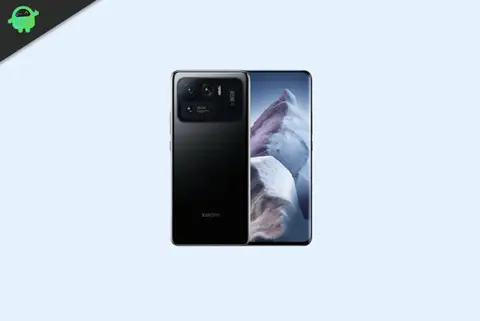
The Honor 8 Lite has a 5.2-inch Full HD display, an octa-core Kirin 655 processor, 3GB or 4GB of RAM, a 12MP rear camera, a rear fingerprint sensor, and a 3,000mAh battery. It shipped on Android 7.0 Nougat and was later updated to Android 8.0 Oreo.
TWRP recovery and its advantages
Team Win Recovery Project (TWRP) is an open-source custom recovery with a touch interface. It lets you flash third-party firmware and ZIPs and back up the system, functions the stock recovery does not support.
- Flash custom ROMs and modding ZIPs
- Install Magisk modules
- Root and unroot by flashing ZIPs
- Create and restore Nandroid backups
- Flash image files
- Remove bloatware
- Wipe cache and data
How to install TWRP recovery on the Honor 8 Lite
Go through the requirements below first.
Prerequisites
- This file and guide are for the Honor 8 Lite only.
- Unlock the bootloader on the Honor 8 Lite.
- A PC and a USB cable.
- Take a full backup of your data.
- Charge the phone battery.
- Download the files you need:
Download TWRP
| File |
TWRP Recovery (latest) |
| Device |
Huawei Honor 8 Lite |
Download TWRP Recovery
Disclaimer
GetDroidTips is not responsible for any damage or error that happens to your device while or after following this guide. Take a full backup first, and proceed at your own risk.
Install TWRP with fastboot
- Enable Developer Options: go to Settings > System > About Phone and tap Build Number seven times, then turn on USB Debugging in Developer Options.

- Open the ADB and Fastboot folder on your PC, hold Shift, right-click, and open a command window.

- Power the phone off, then hold Volume Up + Power (with the USB cable connected) to enter fastboot, or run
adb reboot bootloader.
- Confirm the phone is detected:
fastboot devices
- Rename the downloaded image to twrp.img, place it in the platform-tools folder, and flash it:
fastboot flash recovery twrp.img
- TWRP is now installed on your Honor 8 Lite.
How to root the Honor 8 Lite with Magisk
With TWRP installed, flash the Magisk ZIP to gain root access. The full walkthrough is linked below.
Guide to Root the Honor 8 Lite with Magisk
FAQ
Do I need to unlock the bootloader first?
Yes. TWRP cannot be flashed on a locked bootloader, so unlock it before you start.
Should I root with SuperSU or Magisk?
Magisk. SuperSU is discontinued; Magisk is the current root method, with systemless root and module support.
Does the Honor 8 Lite use Odin or fastboot for TWRP?
Fastboot. Huawei and Honor phones flash TWRP with fastboot, not Samsung’s Odin.
That covers installing TWRP and rooting the Huawei Honor 8 Lite. If you run into any trouble, leave a comment below.