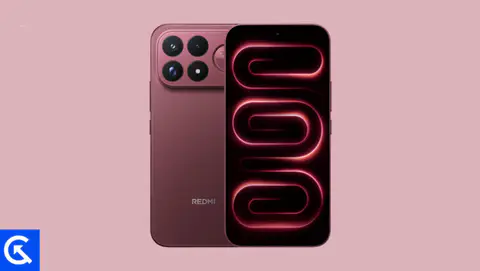
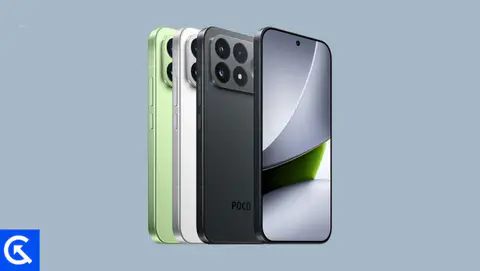
On this page, we will share all the latest Xiaomi 18 Pro and Xiaomi 18 Pro Max (codenamed: hongkong/madrid) firmware flash files. To flash the firmware file, you need the Xiaomi Mi Flash Tool, which works on Windows, Mac, and Linux. Follow this guide to flash the firmware stock ROM file on Xiaomi 18 Pro and 18 Pro Max.

Xiaomi 18 Pro Max Device Overview:
Xiaomi 18 Pro Max is an ultra-premium flagship smartphone packed with cutting-edge hardware. Its 6.9-inch LTPO AMOLED display offers a 120Hz refresh rate, Dolby Vision, HDR10+, up to 4000 nits brightness, and a secondary 2.9-inch rear display for additional functionality. The 2nm Snapdragon 8 Elite Extreme Gen 6, Adreno 850 GPU, up to 16GB RAM, and UFS 4.1 storage promise exceptional performance for demanding gaming and multitasking.
Its Leica camera system is a major highlight, featuring a 200MP OIS main camera, 200MP 3.2x periscope telephoto, and 50MP autofocus ultrawide, with 8K recording and 4K 120fps Dolby Vision and LOG video support. The premium build, IP68 protection, three-speaker Dolby Atmos audio, ultrasonic fingerprint scanner, and up to five major Android updates further strengthen its flagship appeal.
The biggest compromises are its heavy 229–240g body, lack of microSD expansion and 3.5mm headphone jack, and the absence of a dedicated charging bypass feature in the listed specifications. Battery capacity also varies by region, with 8500mAh globally and 7050mAh in the EU. However, 100W wired charging, 50W wireless charging, and 27W reverse wireless charging offer excellent flexibility.
Overall, the Xiaomi 18 Pro Max is an exceptional choice for photography enthusiasts, gamers, and power users who want top-tier cameras, a versatile rear display, flagship performance, and outstanding battery capacity.
Advantages of Stock ROM:
Here are the answers to why you need to download and save the Xiaomi 18 Pro and 18 Pro Max Stock ROM flash file on your computer.
- If your device is dead, you can unbrick using the Stock ROM file
- You can fix or repair the IMEI on your device using DB files from Stock ROM
- Remove any malware or Adware from Xiaomi 18 Pro and 18 Pro Max
- You can fix the boot loop issue on Xiaomi 18 Pro and 18 Pro Max
- Fix Unfortunately; the app has stopped errors on Xiaomi 18 Pro and Xiaomi 18 Pro Max
- Fix Network related issue
- Patch Boot image to Root using Magisk
- You can unroot Xiaomi 18 Pro and 18 Pro Max
- To Reset or Remove FRP on your device:
- Restore Xiaomi 18 Pro and Xiaomi 18 Pro Max to Factory State
How to install Stock Firmware on Xiaomi 18 Pro and 18 Pro Max
Before installing, follow the prerequisites and install the necessary drivers and tools on your PC.
Pre-Requisites:
Download Flash Files For Xiaomi 18 Pro:
Global Stable ROM:
| Version and Download Link |
Changelog |
| OS4.0.4.0.XFRMIXM
Recovery ROM |
- Basic experience
- Reduced system load and memory use for lasting smooth performance
- New: Precision workload scheduling helps optimize system-wide performance
- Optimization: System workload scheduling handles tasks more efficiently, while redundant instructions have been removed to improve performance and reduce power consumption
- Optimization: CPU processing and GPU rendering workloads consume less power
- Optimization: Graphics rendering reduces UI power consumption and stuttering
- Optimization: Game frequency scaling delivers more stable frame rates in demanding scenarios such as team battles
-
- New: Memory preloading helps apps respond faster
- Optimization: Memory reservation and allocation reduce resource use and memory usage after startup
- Optimization: Background resource scheduling loads resources only when needed and staggers background tasks to reduce memory use and improve performance
- Optimization: Memory preloading and storage prefetching reduce occasional stuttering and frame drops, speed up cold starts, and improve app responsiveness
-
- New: Xiaomi HyperOS app runtime environment helps system apps run more smoothly and use resources more efficiently
- Optimization: Home screen and Gallery interactions provide smoother visuals and more responsive controls
- Optimization: Gallery and Weather use fewer CPU and memory resources in the background
- Alive Design Philosophy
- Refreshed system visuals for a more polished look
- New: A soft glass material responds to surrounding colors and automatically adjusts its transparency for a more refined look
- New: Soft glass lighting effects respond dynamically to your actions for more fluid interactions
- New: The Lock screen offers more clock customization options, including text width and height, position, font, and material style
- New: Notifications can appear in stacks on the Lock screen and at the bottom of the Notification shade for easier access and smoother animations
- New: You can resize Home screen folders by dragging their edges
- New: System apps use an adaptive floating layout with a refreshed design that adjusts to different screen sizes for more immersive browsing and clearer navigation
- Optimization: Opening and closing animations for landscape apps and screen rotation animations in multi-window scenarios provide smoother transitions
- Comprehensive system app optimization
- Upgraded core system apps to make them more useful and easier to use
- Notes:
- New: Notes supports real-time transcription and automatic summaries for recordings
- New: AI Summary offers templates for meetings, interviews, classes, and general use, creating structured summaries that make key points easier to find
- New: You can import audio and images from your device and automatically turn their content into AI notes
- Recorder:
- New: Recordings include a timeline outline to help you quickly find and jump to specific parts
- New: AI can generate concise summaries of marked key points
- New: AI Summary offers templates for meetings and general use, automatically turning recordings into structured summaries
- New: Recording playback can automatically skip silent segments for a more streamlined listening experience
- Interconnectivity
- New: Xiaomi Smart Hub offers card-based controls, letting you pin frequently used devices, switch between homes with one tap, and control devices across the Human × Car × Home ecosystem more easily
|
Europe Stable ROM:
| Version and Download Link |
Changelog |
| OS4.0.7.0.XFREUXM
Recovery ROM |
- Basic experience
- Reduced system load and memory use for lasting smooth performance
- New: Precision workload scheduling helps optimize system-wide performance
- Optimization: System workload scheduling handles tasks more efficiently, while redundant instructions have been removed to improve performance and reduce power consumption
- Optimization: CPU processing and GPU rendering workloads consume less power
- Optimization: Graphics rendering reduces UI power consumption and stuttering
- Optimization: Game frequency scaling delivers more stable frame rates in demanding scenarios such as team battles
-
- New: Memory preloading helps apps respond faster
- Optimization: Memory reservation and allocation reduce resource use and memory usage after startup
- Optimization: Background resource scheduling loads resources only when needed and staggers background tasks to reduce memory use and improve performance
- Optimization: Memory preloading and storage prefetching reduce occasional stuttering and frame drops, speed up cold starts, and improve app responsiveness
-
- New: Xiaomi HyperOS app runtime environment helps system apps run more smoothly and use resources more efficiently
- Optimization: Home screen and Gallery interactions provide smoother visuals and more responsive controls
- Optimization: Gallery and Weather use fewer CPU and memory resources in the background
- Alive Design Philosophy
- Refreshed system visuals for a more polished look
- New: A soft glass material responds to surrounding colors and automatically adjusts its transparency for a more refined look
- New: Soft glass lighting effects respond dynamically to your actions for more fluid interactions
- New: The Lock screen offers more clock customization options, including text width and height, position, font, and material style
- New: Notifications can appear in stacks on the Lock screen and at the bottom of the Notification shade for easier access and smoother animations
- New: You can resize Home screen folders by dragging their edges
- New: System apps use an adaptive floating layout with a refreshed design that adjusts to different screen sizes for more immersive browsing and clearer navigation
- Optimization: Opening and closing animations for landscape apps and screen rotation animations in multi-window scenarios provide smoother transitions
- Comprehensive system app optimization
- Upgraded core system apps to make them more useful and easier to use
- Notes:
- New: Notes supports real-time transcription and automatic summaries for recordings
- New: AI Summary offers templates for meetings, interviews, classes, and general use, creating structured summaries that make key points easier to find
- New: You can import audio and images from your device and automatically turn their content into AI notes
- Recorder:
- New: Recordings include a timeline outline to help you quickly find and jump to specific parts
- New: AI can generate concise summaries of marked key points
- New: AI Summary offers templates for meetings and general use, automatically turning recordings into structured summaries
- New: Recording playback can automatically skip silent segments for a more streamlined listening experience
- Interconnectivity
- New: Xiaomi Smart Hub offers card-based controls, letting you pin frequently used devices, switch between homes with one tap, and control devices across the Human × Car × Home ecosystem more easily
|
Download Flash Files For Xiaomi 18 Pro Max:
Europe Stable ROM:
| Version and Download Link |
Changelog |
| OS4.0.7.0.XEOEUXM
Recovery ROM |
- Basic experience
- Reduced system load and memory use for lasting smooth performance
- New: Precision workload scheduling helps optimize system-wide performance
- Optimization: System workload scheduling handles tasks more efficiently, while redundant instructions have been removed to improve performance and reduce power consumption
- Optimization: CPU processing and GPU rendering workloads consume less power
- Optimization: Graphics rendering reduces UI power consumption and stuttering
- Optimization: Game frequency scaling delivers more stable frame rates in demanding scenarios such as team battles
-
- New: Memory preloading helps apps respond faster
- Optimization: Memory reservation and allocation reduce resource use and memory usage after startup
- Optimization: Background resource scheduling loads resources only when needed and staggers background tasks to reduce memory use and improve performance
- Optimization: Memory preloading and storage prefetching reduce occasional stuttering and frame drops, speed up cold starts, and improve app responsiveness
-
- New: Xiaomi HyperOS app runtime environment helps system apps run more smoothly and use resources more efficiently
- Optimization: Home screen and Gallery interactions provide smoother visuals and more responsive controls
- Optimization: Gallery and Weather use fewer CPU and memory resources in the background
- Alive Design Philosophy
- Refreshed system visuals for a more polished look
- New: A soft glass material responds to surrounding colors and automatically adjusts its transparency for a more refined look
- New: Soft glass lighting effects respond dynamically to your actions for more fluid interactions
- New: The Lock screen offers more clock customization options, including text width and height, position, font, and material style
- New: Notifications can appear in stacks on the Lock screen and at the bottom of the Notification shade for easier access and smoother animations
- New: You can resize Home screen folders by dragging their edges
- New: System apps use an adaptive floating layout with a refreshed design that adjusts to different screen sizes for more immersive browsing and clearer navigation
- Optimization: Opening and closing animations for landscape apps and screen rotation animations in multi-window scenarios provide smoother transitions
- Comprehensive system app optimization
- Upgraded core system apps to make them more useful and easier to use
- Notes:
- New: Notes supports real-time transcription and automatic summaries for recordings
- New: AI Summary offers templates for meetings, interviews, classes, and general use, creating structured summaries that make key points easier to find
- New: You can import audio and images from your device and automatically turn their content into AI notes
- Recorder:
- New: Recordings include a timeline outline to help you quickly find and jump to specific parts
- New: AI can generate concise summaries of marked key points
- New: AI Summary offers templates for meetings and general use, automatically turning recordings into structured summaries
- New: Recording playback can automatically skip silent segments for a more streamlined listening experience
- Interconnectivity
- New: Xiaomi Smart Hub offers card-based controls, letting you pin frequently used devices, switch between homes with one tap, and control devices across the Human × Car × Home ecosystem more easily
|
Please note that GetDroidTips cannot be held responsible for any damages, either internal or external, that may occur to your device as a result of following this guide. We advise you to proceed only if you have a good understanding of what you are doing and are confident in your ability to follow the instructions correctly. Your caution and care are appreciated.
Instructions to Flash The ROM:
To install MIUI Flash files on your Xiaomi 18 Pro and Xiaomi 18 Pro Max, we have provided two methods: either you can follow the recovery method, or you can follow the Fastboot method. A detailed guide on both methods is given below:
Guide to Install Stock ROM On Xiaomi Devices
I hope you installed the firmware file on Xiaomi 18 Pro and 18 Pro Max (hongkong/madrid) successfully; now, please rate this website with your comments. We always welcome feedback and improvements.