Download and Install Android 12 on Samsung Galaxy S6 and S6 Edge
Install an unofficial Android 12 custom ROM (LineageOS 19.1 or ArrowOS) on the Samsung Galaxy S6 and S6 Edge using TWRP recovery. Requirements, downloads, and...
Mohammed Huwais
Updated ·3 min read
Share
This guide installs an unofficial Android 12 custom ROM on the Samsung Galaxy S6 and S6 Edge through TWRP recovery. The phones launched in 2015 on Android 5.0.2 Lollipop and officially stopped at Android 7.0 Nougat, so a custom ROM is the only way to run Android 12 on them. Being an unofficial build for old hardware, it may have bugs, so check the source thread before flashing.
Samsung Galaxy S6 / S6 Edge overview
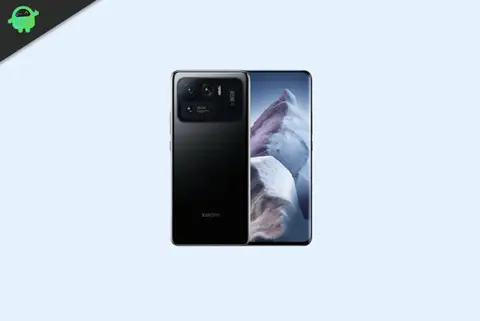
The Galaxy S6 and S6 Edge have a 5.1-inch 1440 x 2560 display, an Exynos 7420 octa-core processor, and 3GB of RAM, with 32, 64, or 128GB of storage. Both have a 16MP rear camera and a 5MP front camera. The S6 has a 2,550mAh battery and the S6 Edge a 2,600mAh battery, both with fast and wireless charging.
Android 12 centres on the Material You design, which themes the system from your wallpaper colours. It also adds a Privacy Dashboard, camera and microphone indicators, a redesigned notification shade and lock screen, scrolling screenshots, one-handed mode, app hibernation, and the ability to update core components through Google Play.
What works and known bugs
Most features work on this build. As it is an unofficial community ROM, a few minor bugs may remain, so check the XDA thread for the current list of what works and any open issues before flashing.
Advertisement
How to install Android 12 on the Galaxy S6 / S6 Edge
Go through the requirements first.
Prerequisites
This ROM is for the Samsung Galaxy S6 and S6 Edge. Flash it only on the matching model.
GetDroidTips is not responsible if you flash this on the wrong device or brick your phone. Proceed at your own risk.
Instructions to install
Copy the Android 12 ROM ZIP and the GApps ZIP to your phone’s storage (or keep them on your PC to use ADB sideload).
Boot into TWRP recovery. With the phone off, hold Volume Up + Home + Power, or run adb reboot recovery with USB debugging on.
In TWRP, take a backup, then go to Wipe and wipe System, Data, Cache, and Dalvik/ART cache.
Go to Install, select the ROM ZIP, and swipe to flash it.
Flash the GApps ZIP the same way, right after the ROM.
Go to Reboot and choose System. The first boot can take several minutes.
FAQ
Is this an official Android 12 update from Samsung?
No. Samsung stopped the S6 and S6 Edge at Android 7.0 Nougat. This is an unofficial community build based on Android 12.
Do I need to flash GApps?
Yes, if you want the Play Store and Google apps. Flash the Android 12 GApps package right after the ROM, before the first boot.
Advertisement
LineageOS 19.1 or ArrowOS, which should I pick?
Both are Android 12. LineageOS is the more established and widely used of the two, so it is the safer starting point. Check each thread for the latest build and its bugs.
I started my career as a blogger in 2014 and also worked on an Android niche platform to gain extra income. I cover the topic on How to guides, software updates, Custom ROM updates and also product review. I'm 24 years old, completed MBA (Master of Business Administration) from Sikkim Manipal University.
Share
Leave a Comment
Share your thoughts, questions, or extra tips with other readers.