Download and Install Lineage OS 17 for UMiDIGI F1 based on Android 10 Q
Finally, Android 10 Q is official and so the AOSP 10 Source code. UMiDIGI F1 is now getting the unofficial version of Lineage OS 17 developed by PeterCxy,...
Mohammed Huwais
Updated ·4 min read
Share
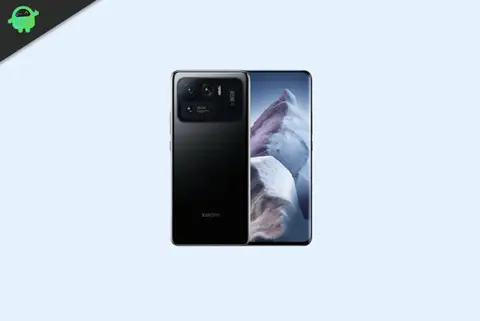
Finally, Android 10 Q is official and so the AOSP 10 Source code. UMiDIGI F1 is now getting the unofficial version of Lineage OS 17 developed by PeterCxy, Recognized Developer on XDA forum. The device is launched on December 2018. The handset came with Android 9.0 Pie. Now you can enjoy Lineage OS 17 based on Android 10. Full credits to him and Lineage team. Now you can install Lineage OS 17 on UMiDIGI F1 which is stable enough to use as a daily driver.
Android 10 is Google’s 10th version of Android OS with plenty of new features and system UI changes. Google doesn’t come with any dessert item name for the new Android version this time and that’s a good move. If you’re new to the Android ecosystem, it’s worth mentioning that Android is an Open Source Project (AOSP) by Google. With the new released Android 10 source code, the Lineage team has started working on Lineage OS 17 for all the supported device.
To install Lineage OS 17 on your UMiDIGI F1, you need to unlock bootloader and running latest TWRP Recovery. If you are on the old version, you will see error 7 warning text while installing the custom ROM on UMiDIGI F1 device.
What’s on Android 10 version?
Google has officially unveiled the latest version of Android OS called Android 10. The update is already going live for Pixel series devices. It brings plenty of new features to the device system like system UI, new gesture navigation, improved privacy and location control. The update also offers enhanced app permissions, foldable display support, security features, system-wide dark mode, etc.
Advertisement
The Android 10 also offers built-in call screening, multi-camera API, smart replies in the notification panel, 5G support, improved call quality, bubble feature, live caption, and more. While the latest version also improves battery life, Focus mode which is similar to the Do Not Disturb mode, etc. Apart from that Android 10 also features 65 new emojis. It also comes with direct audio streaming support to hearing aid devices.
Lineage OS is an open-source and free operating system which is based on the Android platform. It is the successor to the custom MOD, the CyanogenMod, which shut down its operation in December 2016. However, Cyanogen. Inc retained the rights to the custom MOD and gave a rebranding to it as Lineage OS.
Well, LineageOS 17 will be based on the latest Android 10 and it comes with all the Android 10 features and Lineage customization options which allows users to be more advanced. Now you can enjoy Lineage OS 17 on UMiDIGI F1 by flashing this custom ROM.
Advertisement
Steps to Install Lineage OS 17 ROM on UMiDIGI F1
First, unlock the UMiDIGI F1 bootloader and flash the latest TWRP Recovery. Here we have mentioned all the requirements and download links to flash the Lineage OS 17 on UMiDIGI F1.
Disclaimer:
We’re at GetDroidTips won’t be responsible for any kind of damage or error occurs to your handset while or after following this guide. This is a Custom ROM and may contain some of the bugs or stability issues. We can’t recommend you to use this firmware as your daily driver. Proceed at your own risk.
Pre-Requirements:
This is Android 10 based Lineage OS 17 file and supported for UMiDIGI F1 only.
Select Advanced Wipe > Select the data, system, vendor, cache. Then swipe to wipe it.
Flash the ROM zip file from the Install option.
The system will be mounted already Uncheck it & Remount system and vendor manually. Then flash Gapps zip file as well.
Finally, reboot your phone into a new system. Wait for it, as the boot process will take a few minutes.
That’s it. Enjoy!
We hope that this guide is helpful to you and you have successfully installed the Lineage OS 17 on your UMiDIGI F1 handset easily. If in case anything goes wrong or if you have any queries, feel free to ask in the comments below.
I started my career as a blogger in 2014 and also worked on an Android niche platform to gain extra income. I cover the topic on How to guides, software updates, Custom ROM updates and also product review. I'm 24 years old, completed MBA (Master of Business Administration) from Sikkim Manipal University.
Share
Leave a Comment
Share your thoughts, questions, or extra tips with other readers.