The Samsung Galaxy S7 (codename herolte, SM-G930F) shipped on Android 6.0 Marshmallow and stopped at Android 8.0 Oreo officially. Thanks to the custom ROM community, you can now take it much further and run Android 16 through Project Infinity X.
One thing to know up front: this Android 16 build is for the Exynos Galaxy S7 (G930F, herolte) only. The S7 Edge (hero2lte) does not have an Android 16 build yet, so its newest option is Android 14 (LineageOS 21), which is also linked below.

Samsung Galaxy S7 overview
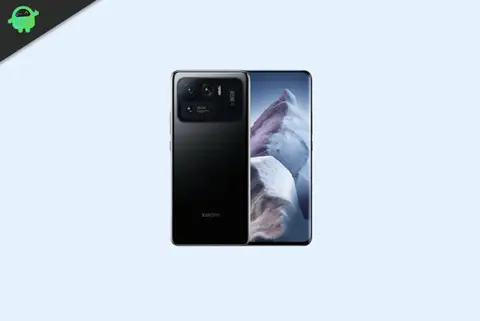
The Galaxy S7 has a 5.1-inch Super AMOLED display at 1440 x 2560, powered by the octa-core Exynos 8890 (four Mongoose cores at 2.3GHz and four Cortex-A53 cores at 1.6GHz, on a 14nm process). It has 4GB of RAM and 32 or 64GB of storage, with a microSD slot for up to 256GB more. The rear camera is a single 12MP f/1.7 shooter, with a 5MP front camera, and the phone has a 3,000mAh battery and a front-mounted fingerprint sensor. It shipped on Android 6.0 Marshmallow and was later updated to Android 8.0 Oreo.
Android 16 and Project Infinity X
Android 16 is Google’s 2025 release. It brings the Material 3 Expressive design refresh, progress-style Live Updates in notifications, and the usual round of performance, privacy, and security improvements on top of Android 15.
Project Infinity X is an AOSP-based custom ROM known for a very large set of customization options layered over near-stock Android. The build covered here is Infinity X 3.12, Android 16, for the Galaxy S7 (G930F, herolte). Note that it is an early v1.0 development build, so treat it as a work in progress and read the XDA thread before you flash.
What works and known bugs
On these Exynos S7 builds the core hardware generally works, including Wi-Fi, mobile data, RIL, VoLTE, GPS, Bluetooth, the camera and camcorder, the flashlight, the fingerprint sensor, FM radio, sound, and vibration.
Because this is an early build, expect some rough edges. The current list of what is broken is kept on the XDA thread, so check it there before flashing rather than assuming everything is stable.
How to install Android 16 on the Galaxy S7 (herolte)
Work through the requirements below before the install steps.
Prerequisites
Back up your phone
Create a backup of your device storage and files first. The install wipes the phone, and following the steps carefully is how you avoid bricking it.
Charge the phone
Charge to at least 50% so the phone does not shut down partway through the process.
Download ADB and Fastboot
You can skip this if you already have TWRP installed. Otherwise, download the ADB and Fastboot binaries (platform-tools). ADB creates the connection between phone and PC so you can sideload files, and Fastboot handles lower-level flashing.
Download Samsung USB drivers
Install the Samsung USB drivers on your PC so it detects the phone over USB.
Unlock the bootloader
You have to unlock the bootloader before you can run any custom ROM.
Install TWRP recovery
You need TWRP to flash the ROM. After unlocking the bootloader, follow our guide to install TWRP on the Galaxy S7 (or the Galaxy S7 Edge if you are on the Android 14 route). Use a recent TWRP build, since an old recovery may not flash a current Android 16 ROM.
Download the ROM
Android 16 is only available for the S7 (herolte) through Infinity X. If you have an S7 Edge, use the LineageOS 21 (Android 14) build instead.
Download GApps (optional)
Most AOSP ROMs ship without the Google apps. If the build you downloaded is a vanilla version and you want Google apps, flash a matching MindTheGapps package for Android 16 during the install. Skip this if the ROM already bundles Google apps or you plan to go Google-free.
Warning
The Infinity X build is for the Galaxy S7 (G930F, herolte) only. Flashing it on an S7 Edge or any other model can brick the phone. Unlocking the bootloader and flashing a custom ROM also wipe the phone and trip KNOX permanently, which voids the warranty. GetDroidTips is not responsible for any damage. Do this at your own risk.
Installation steps
- Copy the ROM ZIP (and the GApps ZIP, if you are using it) to the phone’s internal storage.
- Connect the phone to the PC with a USB cable, with USB debugging enabled.
- Open the platform-tools folder on your PC, type CMD in the address bar, and press Enter to open a Command Prompt.

- Boot the phone into TWRP, either with the command below or by using the Volume and Power button combination:
adb reboot recovery

- In TWRP, go to Wipe and tap Advanced Wipe. Select System, Data, Cache, and Vendor, then swipe to format them. Coming from a different ROM or Android version, use Format Data (type yes) so the new ROM will boot.
- Go to Install, select the ROM ZIP, and swipe right to flash it. Flash any firmware or vendor package the thread tells you to, in the order it specifies.
- If you want Google apps, go back to Install and flash the GApps ZIP the same way, before the first boot.
- Wipe the cache, then go to Reboot and select System.

The first boot can take several minutes, and you will set the phone up from scratch afterward.
Frequently Asked Questions
Can the Galaxy S7 Edge run Android 16?
Not through this build. Project Infinity X 3.12 is for the S7 (G930F, herolte) only. The S7 Edge (hero2lte) does not have an Android 16 build yet, so its newest option is the LineageOS 21 (Android 14) build linked above.
Is this a stable ROM?
It is an early v1.0 development build, so expect bugs and rough edges. Check the XDA thread for the current known-issues list before you rely on it as a daily driver. For something more settled, LineageOS 21 (Android 14) is the stable alternative.
Will installing it erase my data?
Yes. Unlocking the bootloader and wiping/formatting data both erase the phone, so back up first.
Does flashing trip KNOX?
Yes, and it is permanent. Unlocking the bootloader and flashing a custom ROM trip the KNOX counter, which voids the warranty and disables KNOX features like Samsung Pay and Secure Folder.
Which exact model does the Android 16 build support?
Only the Exynos Galaxy S7 with model number SM-G930F (herolte). Do not flash it on the S7 Edge or on the Snapdragon US and carrier models such as the G930U or G930A.
Conclusion
Android 16 on a Galaxy S7 is impressive for a phone this old, and Project Infinity X makes it possible on the G930F. Since it is an early build, keep a backup and watch the XDA thread for fixes. S7 Edge owners, and anyone who wants something more stable, should use the custom ROM list or the Android 14 LineageOS 21 builds above. Report any bug you hit on the ROM’s XDA thread so the maintainer can look into it.