The LG V20 launched in September 2016 on Android 7.0 Nougat and was later updated to Android 8.0 Oreo. This guide covers installing an AOSP-based Android 10 custom ROM (LineageOS 17) on it. Supported variants are the H910, H918, LS997, US996, VS995, and H990.
Android 10 was Google’s tenth major release and the first to drop the dessert naming. Since LG never shipped Android 10 to the V20, a community ROM is the way to run it. Follow the guide below.

LG V20 Overview
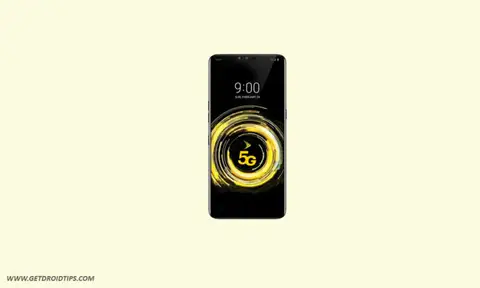
The LG V20 is a dual-SIM-capable flagship launched in September 2016. It has a 5.7-inch QHD (1440 x 2560) IPS display plus the signature second screen, a Qualcomm Snapdragon 820 processor, and 4GB of RAM, with 32GB or 64GB of expandable storage. It has a dual 16MP + 8MP rear camera, a 5MP front camera, and a removable 3,200mAh battery. It shipped on Android 7.0 Nougat and was later updated to Android 8.0 Oreo, its last official version.
About Android 10
Android 10 added a system-wide dark theme, full gesture navigation, Live Caption, Smart Reply in notifications, Focus mode, and tighter privacy and location controls, including more granular app permissions. It also added Sound Amplifier and support for direct audio streaming to hearing aids.
- Live Caption: automatically captions media playing on the phone.
- Smart Reply: suggests responses and actions for incoming messages.
- Sound Amplifier: boosts audio and filters background noise.
- Gesture navigation: smoother full-screen gestures.
- Dark theme: a system-wide dark mode.
- Privacy and location controls: finer control over what apps can access and when.
- Focus mode: part of Digital Wellbeing, to mute distracting apps.
How to install Android 10 on the LG V20
You need an unlocked bootloader and TWRP before flashing. Go through the requirements and download links below first.
Disclaimer
GetDroidTips is not responsible for any damage to your handset during or after this guide. This is a community custom ROM and may contain bugs or stability issues, so it may not be ideal as a daily driver. Proceed at your own risk.
Prerequisites
- Supported variants: H910, H918, LS997, US996, VS995, and H990.
- Unlock the bootloader first. Not every variant can be unlocked officially; the US996 and H918 are the ones with an official method.
- Download the ROM, TWRP, and the Android 10 GApps from the links below.
- Charge the phone to at least 60%.
- Take a full backup of your data.
Watch the video on what’s new in Android 10
Video guide for the AOSP Android 10 installation
Instructions to install
- Copy the TWRP image, the GApps file, and the ROM ZIP to the phone’s internal storage.
- Reboot the LG V20 into recovery mode to boot into TWRP.
Skip steps 3 to 5 if you already have the latest TWRP installed
- In the recovery menu, tap Install, then Install Image, and select the TWRP image file.
- Swipe to confirm the flash.
- Reboot to recovery again.
- Go to Wipe, tap Advanced Wipe, select Data, System, Vendor, and Cache, then swipe to wipe.
- Flash the ROM ZIP from the Install option.
- If the system partition is mounted, unmount it, remount System and Vendor manually, then flash the GApps ZIP.
- Reboot into the new system. The first boot takes a few minutes.
FAQ
Did the LG V20 get Android 10 officially?
No. LG ended updates at Android 8.0 Oreo, so Android 10 is only available through community ROMs like LineageOS 17.
Which variants are supported?
The H910, H918, LS997, US996, VS995, and H990, provided the bootloader is unlocked.
Do I need to flash TWRP every time?
No. If you already have the latest TWRP installed, skip the TWRP flashing steps and go straight to wiping and flashing the ROM.
That completes the guide to installing AOSP Android 10 on the LG V20. If you run into any trouble, leave a comment below.


Does this work on the H990DS?
TFAI