This guide covers how to install an unofficial Android 14 custom ROM on the LG G6 (codename h870/h872/us997). If you want a clean, close-to-stock version of Android 14 on the phone, you are in the right place.

LG G6 overview
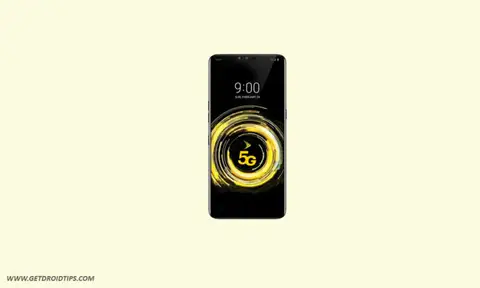
The LG G6 launched in April 2017. It has a 5.7-inch IPS LCD display at 1440 x 2880 (an 18:9 aspect ratio) with HDR10 and Dolby Vision, a Qualcomm Snapdragon 821 chipset with the Adreno 530 GPU, and 4GB of RAM, with 32GB or 64GB of storage expandable via microSD. The build uses Gorilla Glass 3 on the front, Gorilla Glass 5 on the back, and an aluminum frame, and it is IP68 dust and water resistant.
The camera is a dual 13MP setup with standard and ultrawide lenses, with 4K video, PDAF, and OIS, plus a 5MP front camera. It has a non-removable 3,300mAh battery with 18W Quick Charge 3.0 (and wireless charging on the US variant). It shipped on Android 7.0 Nougat and was later updated to Android 9.0 Pie.
Android 14 and its features
Android 14 is Google’s fourteenth major release, launched on October 4, 2023, first on the Pixel 8 and Pixel 8 Pro. It adds a customizable lock screen, a reworked system share sheet, a redesigned battery-saving mode, drag-and-drop between apps, Ultra HDR support for photos, AI-generated wallpapers, a monochromatic theme, and Material You settings toggles.
What works and known bugs
Working:

Wi-Fi
RIL
VoLTE
Mobile data
GPS
Camera
Flashlight
Camcorder
Bluetooth
Fingerprint
FM radio
Sound
Vibration

Known issues:
None reported by the developer at the time of writing.
How to install AOSP Android 14 on the LG G6 (h870/h872/us997)
This section has the requirements and steps to install the Android 14 build on the LG G6 (h870/h872/us997). Go through the prerequisites first.
Pre-requisites
Back up your device storage and files before you start, and follow the steps carefully to avoid bricking the phone.
Charge the phone
Charge the phone to at least 50% before unlocking the bootloader, so it does not shut down mid-process.
Download ADB and Fastboot
You can skip this if TWRP recovery is already installed on your LG G6.
The ADB and Fastboot tools (platform-tools) let you boot the phone into bootloader or recovery from a PC. Download the ADB and Fastboot binaries (platform-tools).
Download the LG USB drivers
You need the LG USB drivers so the PC can detect the phone over USB for file transfer and flashing. Download the LG USB drivers here.
Unlock the bootloader
Unlock the LG G6’s bootloader before installing a custom ROM.
Install TWRP recovery
You need TWRP recovery to flash a custom ROM. After unlocking the bootloader, follow our guide to install TWRP recovery on the LG G6.
Download the Android 14 ROM
Here are the Android 14 custom ROMs for the LG G6 (h870/h872/us997).
Download Android 14 GApps
Most AOSP ROMs do not include Google apps, so you will need a matching Android 14 GApps package to flash alongside the ROM.
Warning!
GetDroidTips is not responsible if you flash this on the wrong device and brick it. Do it at your own risk.
Installation steps
- Connect the phone to the PC with a USB cable, with USB debugging enabled.
- Open the platform-tools folder, type CMD in the address bar, and press Enter to open a Command Prompt.

- Run the command below, or use the Volume and Power buttons to boot into TWRP recovery:
adb reboot recovery
- In TWRP, go to Install, select the downloaded ROM ZIP, and swipe to flash it.

- To add Google apps, go to Install, select the GApps ZIP, and swipe to flash it.
- Go to Reboot and select System.

That installs AOSP Android 14 on the LG G6. The first boot can take a few minutes, and you will set the phone up from scratch.
FAQ
Will the LG G6 get Android 14 officially?
No. LG’s official updates for the G6 ended at Android 9.0 Pie, so an unofficial custom ROM is the only way to run Android 14 on it.
Do I need to flash GApps?
Yes. These AOSP ROMs do not include Google apps, so flash a matching Android 14 GApps package right after the ROM.
Will this erase my data?
Yes, flashing a new ROM wipes the phone, so back up everything you want to keep first.
Which LG G6 variants are supported?
The h870, h872, and us997 models. Check the ROM thread to confirm your variant before flashing.
That covers installing AOSP Android 14 on the LG G6. If you run into any trouble, leave a comment below.


Setup phone