The Sony Xperia X Compact (F5321, codename kugo) launched in September 2016 with Android 6.0.1 Marshmallow, and Sony’s last major update took it to Android 8.0 Oreo. The phone has official TWRP support, so once the bootloader is unlocked you can install a custom recovery, root the phone with Magisk and flash custom ROMs such as LineageOS 20.
This guide covers installing TWRP with fastboot, booting into it, and rooting the phone. It’s updated for 2026, with the old files that didn’t apply to this phone removed.
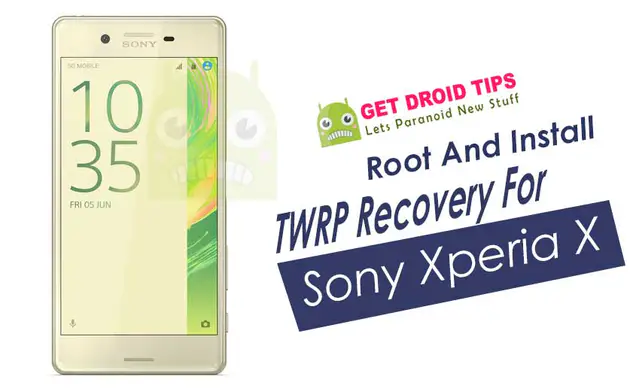
What is TWRP?
TWRP (Team Win Recovery Project) is an open-source custom recovery for Android. It replaces Sony’s stock recovery with a touch menu that lets you:
- Flash custom ROMs and other zip files
- Make a full Nandroid backup and restore it later
- Root the phone with Magisk
- Wipe the system, data and cache partitions
- Flash image files to individual partitions
TWRP for Xperia X Compact: download details
| Device |
Sony Xperia X Compact (F5321, kugo) |
| Support |
Official TWRP device |
| File type |
.img file |
| Official download |
dl.twrp.me/kugo (download the newest .img) |
Only use the kugo build. The Xperia XZ2 Compact and other Xperia phones have their own TWRP files, and flashing the wrong one can stop the phone from booting.
Before you start
- This guide is only for the Sony Xperia X Compact F5321.
- The bootloader must be unlocked. Follow our X Compact bootloader unlock guide first. Keep in mind that unlocking a Sony phone erases its DRM keys.
- Back up your data.
- Charge the phone to at least 60%.
- Install the Sony USB drivers and ADB and Fastboot on your PC.
- Download the TWRP .img file, rename it to
twrp.img and put it in your ADB and Fastboot folder.
- Download the latest Magisk if you plan to root.
Disclaimer:
GetDroidTips will not be responsible for any kind of damage or error that occurs to your device while/after installing the files or following this guide. Make sure to take a complete backup before doing anything. Do this at your own risk.
How to install TWRP on the Xperia X Compact
Step 1: Turn on USB debugging
- Go to Settings, then About phone, and tap Build number seven times to turn on Developer options.
- Go back to Settings, open Developer options and turn on USB debugging.

Step 2: Boot into fastboot mode
Open the ADB and Fastboot folder on your PC, hold Shift, right-click an empty area and open a command window or PowerShell window there. Connect the phone and run:
adb reboot bootloader
To do it by hand instead, turn the phone off, hold Volume Up and plug in the USB cable. The notification light turns blue in fastboot mode.

Check that your PC sees the phone:
fastboot devices
Step 3: Flash TWRP
fastboot flash recovery twrp.img
When it finishes, unplug the phone and hold the Power button until it turns off.
Step 4: Boot into TWRP
With the phone off, hold Volume Down + Power until it vibrates, then let go. TWRP should open. Booting straight into recovery the first time also stops the stock system from replacing TWRP.
Before anything else, open Backup and back up the boot, system and data partitions. If something goes wrong later, this backup is your way back.
How to root the Xperia X Compact with Magisk
Magisk is the standard root method today. Its current versions support Android 7.0 and later, so they work on Sony’s Android 8.0 firmware and on custom ROMs like LineageOS 20. SuperSU hasn’t been updated in years and isn’t recommended.
- Download the latest Magisk APK and copy it to the phone.
- Make a copy of the file and rename the copy’s extension from
.apk to .zip.
- Boot into TWRP, tap Install, select the Magisk .zip and swipe to flash it.
- Tap Reboot System.
- Install the Magisk APK as a normal app and open it. If it asks to finish setup, let it.
Our Magisk guide covers other install methods, including patching the boot image.
What can you do after rooting?
Frequently asked questions
TWRP disappeared after I rebooted. What happened?
The stock system can overwrite TWRP if you boot into Android before booting into recovery. Flash TWRP again and go straight to recovery with Volume Down + Power.
No. Those are for newer phones. The X Compact doesn’t use vbmeta, and Magisk handles the rest.
Can I install TWRP without unlocking the bootloader?
No. Fastboot refuses to flash recovery on a locked bootloader.
How do I go back to stock?
Flash Sony’s firmware with Newflasher. Our Xperia X Compact stock firmware guide walks through it.
What should I install next?
With TWRP in place you can install LineageOS 20 or another ROM from our X Compact custom ROM list.



hello,
i am from sweden and technically retarded. can barely start the television set without accident.
last computer i touched was commodore amiga 500.
love this phone. can You please help me update it?
will of course pay for Your service.
best regards,
marcus.